DIY Virtual Pinball Machine: Build vs. Buy Guide (2026)
The Quick Answer
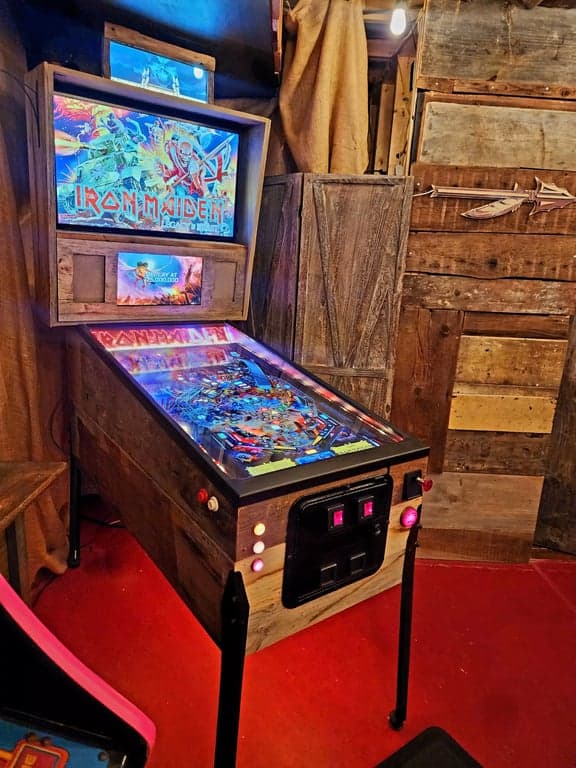
I may have narrowed my target audience here a bit. If you aren't married then you could assume that the above means that virtual pinball machines can be expensive. The virtual pinball cabinet is the only thing in the arcade that I obsessed over more than the Secret bookcase door (It's technically a secret doorway bookcase but I really think that sounds dumb, roll with me on it).
In reality, virtual pinball tables range from $700 to over $10,000. Even do it yourself builds can cost upwards of $5,000. NOT TODAY folks. While I will leave the full DIY build instructions to extremely capable people like Michael J Roberts and TheWayOfTheWrench, I am going to share my process and how I was able to build a fully capable, 4k 120hz blazing fast Virtual pinball machine with real pinball parts and Surround Sound feedback (don't worry these terms will quickly become staples in your brain).
Before I get to that, there is some lengthy and necessary topics to cover for those who decided that they want a virtual pinball machine but have yet to decide how to obtain one.
The Crafty Catsman's Verdict (2026 Edition)
If you have basic woodworking skills and a weekend to spare, Building a Flat-Pack Kit is the undisputed champion of value and performance in 2026.
You get the professional look of a factory machine without the $8,000+ price tag. By sourcing your own PC and 4K screens, you ensure your machine is future-proof for the latest VPX tables, unlike pre-built units that often use outdated hardware.
Quick Recommendations
I spent years and countless hours of deliberation on this virtual pinball machine. The fantastic thing about this hobby is that you can enter at whatever stage you are comfortable. From building the entire virtual pinball machine from scratch to purchasing fully built and assembled virtual pinball cabinets that use real pinball parts.
I will not attempt to explain the build process because that has been done by remarkable people that are more capable than me (google MJR, TheWayOfTheWrench) there are also extensive and extremely helpful forums that very likely have answers to questions that you may have along the way, including troubleshooting.
There are dozens of decisions to make, and deciding which path to walk was one of the most daunting parts of the entire process. In fact, the plethora of information available can be overwhelming and sometimes confusing. This is because the hobby has existed for over a decade and it is regularly changing. Advice from a few years ago may actually cause more harm than good, I have come across many situations where a complicated workaround was explained in great detail but further research showed that some smart person wrote the solution into code and a much simpler solution existed.
The goal of this post is to summarize the years of research that I put into my machine, to provide an overview of the current options for Virtual Pinball Machines along with their pros and cons. Most importantly, I will attempt to outline what I consider to be fundamental needs for a modern machine, as well as my opinion on things that are optional or not necessary.
I hope that this information helps you make an educated decision on what to do with your own machine. Their is no "right way" to build a virtual pinball machine and budgets for the project are often all over the map. I will also pepper in some "clever" ways to cut down on costs, without sacrificing what I feel to be necessities given the recent developments of Virtual Pinball.
WOODWORKING
Creating the physical cabinet either from scratch or from a kit
- Cabinet construction
- Material selection
- Precise measurements
- Finishing techniques
ELECTRONICS
Installing displays, computer, buttons, and feedback systems
- Multi-display setup
- Control circuits
- Tactile feedback
- LED lighting
SOFTWARE
Setting up simulation engines, ROMs, tables, and specialized effects
- Visual Pinball setup
- Table configuration
- DOF integration
- Launcher systems
Each area requires different skills, and the depth of involvement depends on your chosen approach. Pre-built machines minimize your involvement but at a higher cost, while DIY maximizes customization at the expense of complexity.
Buy Pre-Built
Fully assembled machines ready to play
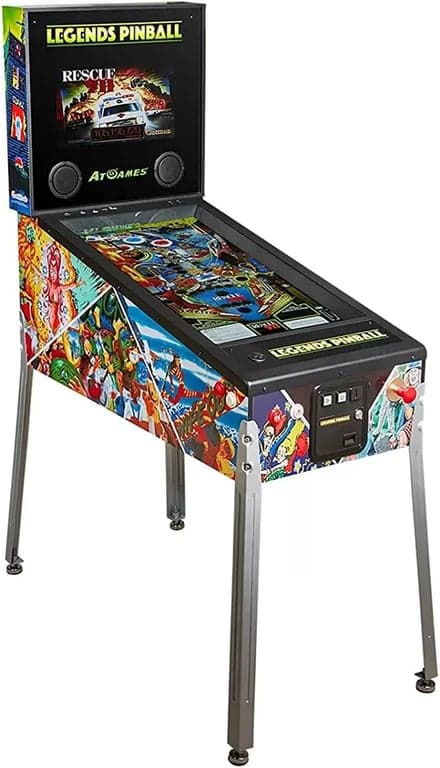
- Price: $800-$12,000+ (2026)
- Pros: Ready to play, no assembly needed, warranty included
- Cons: Higher cost, limited customization, proprietary software
- Best for: Those prioritizing convenience over customization
Flat-Pack Kit
CNC-cut cabinet parts that you assemble
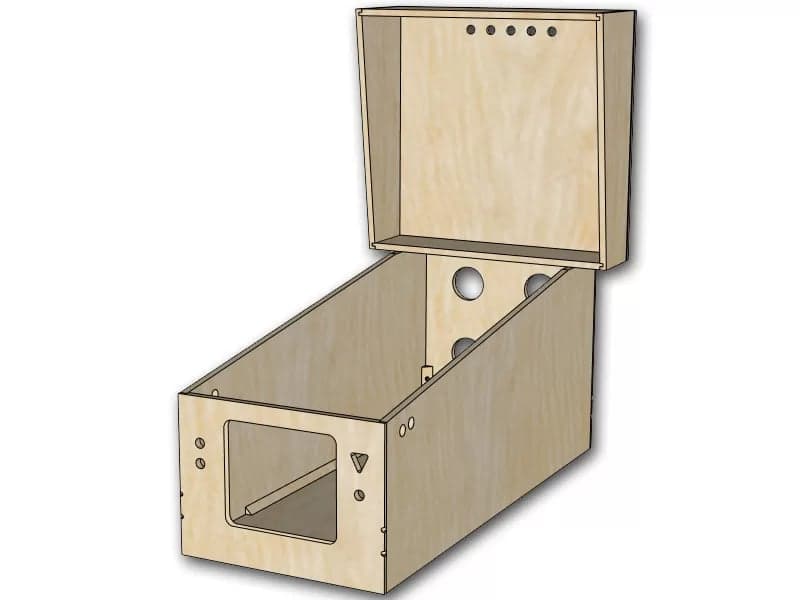
- Price: $1,200-$7,000 (2026)
- Pros: Precise CNC cuts, simplified build process, quality materials
- Cons: Still requires electronics setup and software configuration
- Best for: Those with limited tools but comfortable with assembly
DIY Build
Design and build from raw materials
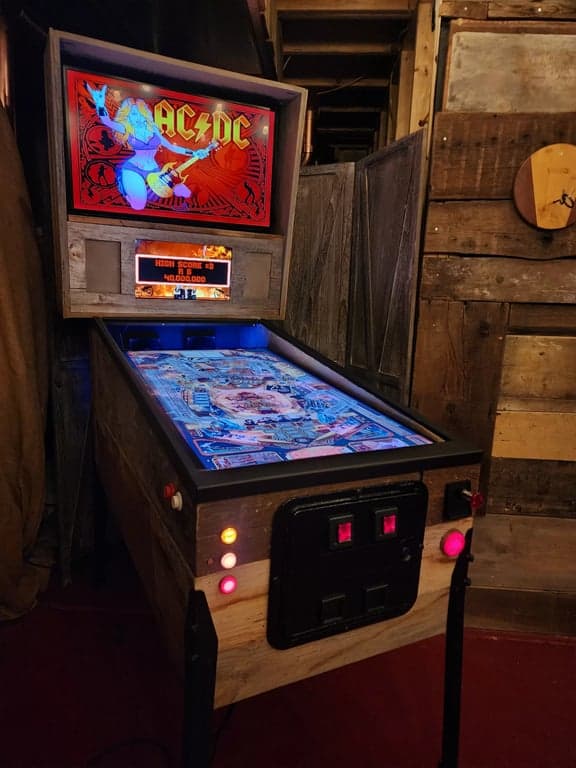
- Price: $600-$4,000 (2026)
- Pros: Full customization, lowest cost, complete control
- Cons: Requires woodworking tools and skills
- Best for: Makers who enjoy the build process. See my secret bookcase door for similar DIY complexity.
Compare the three cabinet paths at a glance
| Feature | Pre-Built (Buy) | Flat-Pack Kit (Build) | DIY Scratch Build |
|---|---|---|---|
| Estimated Cost | $5,000 - $10,000+ | $2,500 - $4,000 | $1,500 - $3,000 |
| Time Required | None (Plug & Play) | 1 Weekend | 2-4 Weeks+ |
| Tools Needed | None | Screwdriver, Glue | Table Saw, Router, Drill |
| Customization | Limited | High (Hardware/Software) | Unlimited |
| Software Setup | Pre-configured | Manual (Baller Installer) | Manual (Baller Installer) |
| Difficulty | Easy | Medium | Hard |
Once the route is chosen, the cabinet story becomes three very different experiences.
The next section cluster walks through what it feels like to buy pre-built, assemble a flat-pack, or commit to a full scratch build.
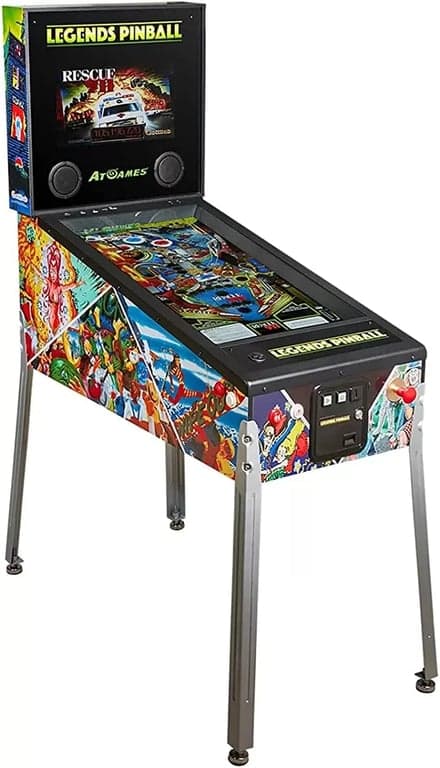
AtGames Legends Pinball
The Assembled world of Virtual Pinball is as diverse as the ethics of the people that sell them. Below we are going to discuss three (3) categoies of retail Virtual Pinball Machines. Click the image (on the first two) to see the systems.
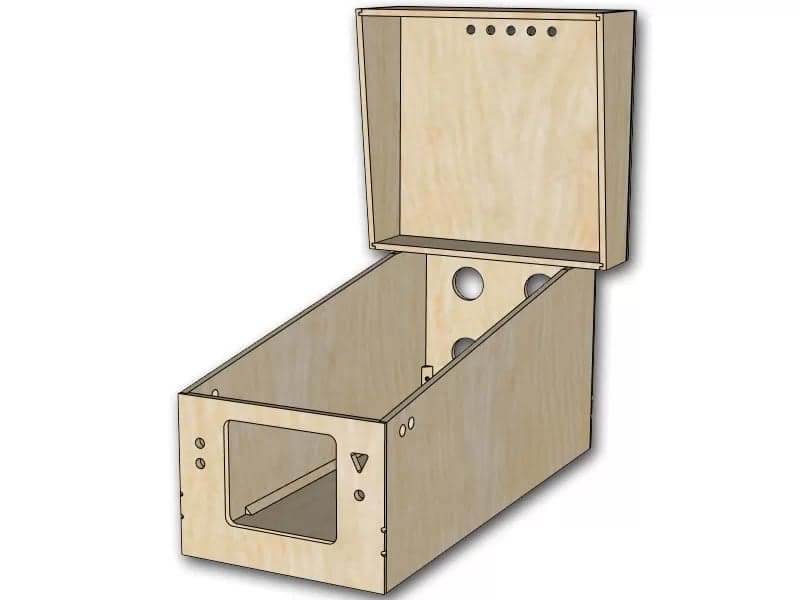
Cabinet Builders
CNC cut precision – $500 – $7,000+
This is a remarkable space filled with a plethora of options. Cabinet builders like Virtuapin offer options to suit your taste and their standard dimensions allow for easy vinyl customization.
My advice here is to research the seller heavily. I mention Virtuapin a number of times on this page because of my interactions with them. Other sites offer flashy machines but have a poor reputation for customer service that I witnessed first hand.
Tip: Avoid MDF, email the manufacturer and see how responsive they are.
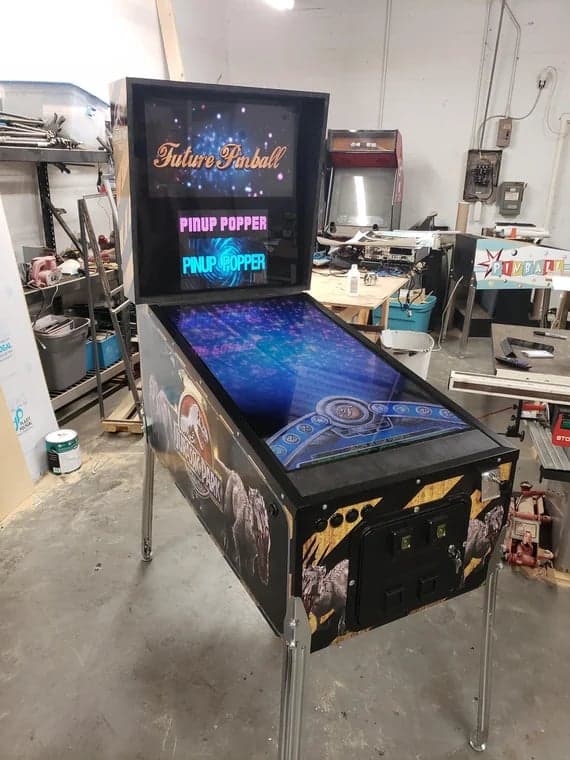
Cabinet Capitalists
Controversial: $500 – $10,000+
The online world of assembled Virtual Pinball Machines is riddled with good natured hobbyists making beautiful machines as well as darker corners of the web where retailers sell fully loaded machines, capitalizing on the years of work that hobbyist programmers put in to make the games. In my research some sellers know full well that they are doing wrong and some do not.
It is easy to stumble on kits like this and be none the wiser, it wasn't until I dove deep into the programming that I realized that sellers like this are a problem.
The lesson here is that the people that make the virtual pinball games can not sell you those games. The program that runs these games is also free. Therefore, it is a heavy point of contention when an online Virtual Pinball Manufacturer pre-packages their pinball machine with software and games as it then turns this hobby into a for profit business, risking the entire ecosystem.
Popular sites that host developer made games like VPForums.org and VPUniverse.com make the above message known and broadcast it in bold all over their sites.
This is a necessary section to talk about because it is inevitable that you will come across one. We are currently reviewing sellers of fully assembled Virtual Pinball machines – This section will be updated as soon as we have a list of sellers that are willing to sell their machines without software pre-loaded (trust me, you will thank me for that once you get fully invested in the hobby)
Virtual Pinball cabinet building can be broken down into three distinct categories.
Woodworking
The first is the woodbuilding portion. Building a cabinet requires power tools and precise measurements. If you have basic powertools and an ability to follow along then I still recommend that you build, not buy your cabinet frame. People like TheWayOfTheWrench have went through the build process in fascinating detail, so much so that it's not worth me posting my own DIY build instructions. Check him out on YouTube and watch a few of his videos, it will give you an idea for the level of detail that is required for the project.
Don't go jumping just yet you click happy cat, I will say that I disagree with his use of a 1080P playfield monitor. While 4k 120hz displays will require a better GPU to run, I was able to snag a used x80j 4k 120hz tv for $200. I will get into that more below. Besides that, study his videos – he is a teacher and it shows. The videos are easy to follow and will really help summarize all of what is out there.
There are plenty of small businesses that will CNC cut your virtual pinball cabinet from plywood for a price but in my research the best option is a widebody flat pack from Virtuapin.
I prefer Virtuapin because their customer service is stellar. Paul (the owner) always answers the phone and is happy to talk through things. He is one of the original people in the space and has a tremendous amount of knowledge to share. Virtuapin also sells cabinet kits that can be useful in your build (buttons, legs, etc…). They also sell "fully trimmed" options that take care of most of the build work for you (you will still need to do all of the electronics).
If you watch TheWayOfTheWrench's videos and decide that building the cabinet frame is not for you, then go for a pre-built kit.
Electronics
Woodworking isn't the only requirement for this build, in fact it only accounts for about half of the work. The electronics and programming side is arguably more arduous than the woodworking. It is one of the main reasons I almost chickened out on the project.
I encourage you not to shy away from the project for fear of the electronic side….the community has everything you need laid out in very plain and easy to follow instructions. Don't be that scaredy cat posting every little question on the forums, do some googling and I am confident that you will be able to figure things out.
I did not feel like I was qualified to do the work required to get the system to work but after watching a lot of the videos from TheWayOfTheWrench I decided that I could follow along and get it done.
Programming
Ah, the gift that keeps on giving. Downloading software and adding tables is truly the gift that keeps on giving. The community is constantly releasing new and updated tables and functions – if any of you are reading this, thank you for your efforts!
The overarching message here is that you will spend time getting the tables that you want to work. The majority of builders agree that this is a right of passage and a true way to get into the mechanics of the table, allowing you to tinker to your hearts desire.
Saying there is a "darker side" to programming is a bit of an overstatement but it should be mentioned. Aside from the wonderful world of tinkering there is some level of maintenance associated with programing. From time to time you will adjust screen positions, your DMD may randomly end up on the wrong screen and you will have to move it to the right place again. These tweaks are minor and average out to about 2-3 minutes of prep before play (some may have streamlined this better, but that's my average).
For example, after you download a new table you can also choose the media for it (the backglass, wheel art, topper etc). Further, you can edit how the table actually looks (tilt, position, etc…). This level of detail is exactly why I created the acrylic light that I mentioned above.
If you are considering this, then you are a risk taker. There is no other reason to be on this page of TheCraftyCatsman unless you are on the fence about this very decision. Our strays regularly walked the fences of Philadelphia but rest assured they made it to their destination. Yeah, this is a shameless cat metaphor themed website, get used to it.
A full build will test your skillset, from woodworking to electronics this was hands down the most complicated "home" project that I haven taken on. It was hidden bookcase door levels of stepping out of my comfort zone paired with a whole new fear of low voltage electronics. In the end, I will confidently assure you that the resources are there for you to get this done.
A full build allows you to take your time and save the most amount of money while getting the virtual pinball machine that you want. Be warned, this is not a weekend job. This project took months with many intricate rewarding steps.
See below for my biggest tips as well as things that I learned along the way.
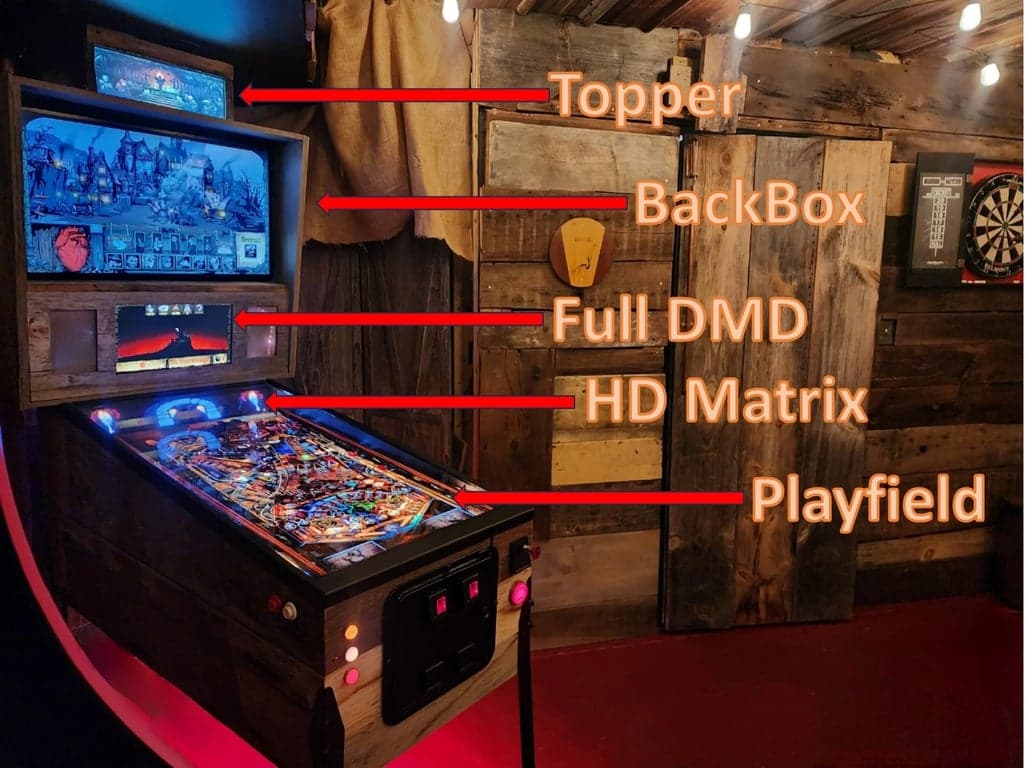
The cabinet only feels current if the screens are chosen in the right order.
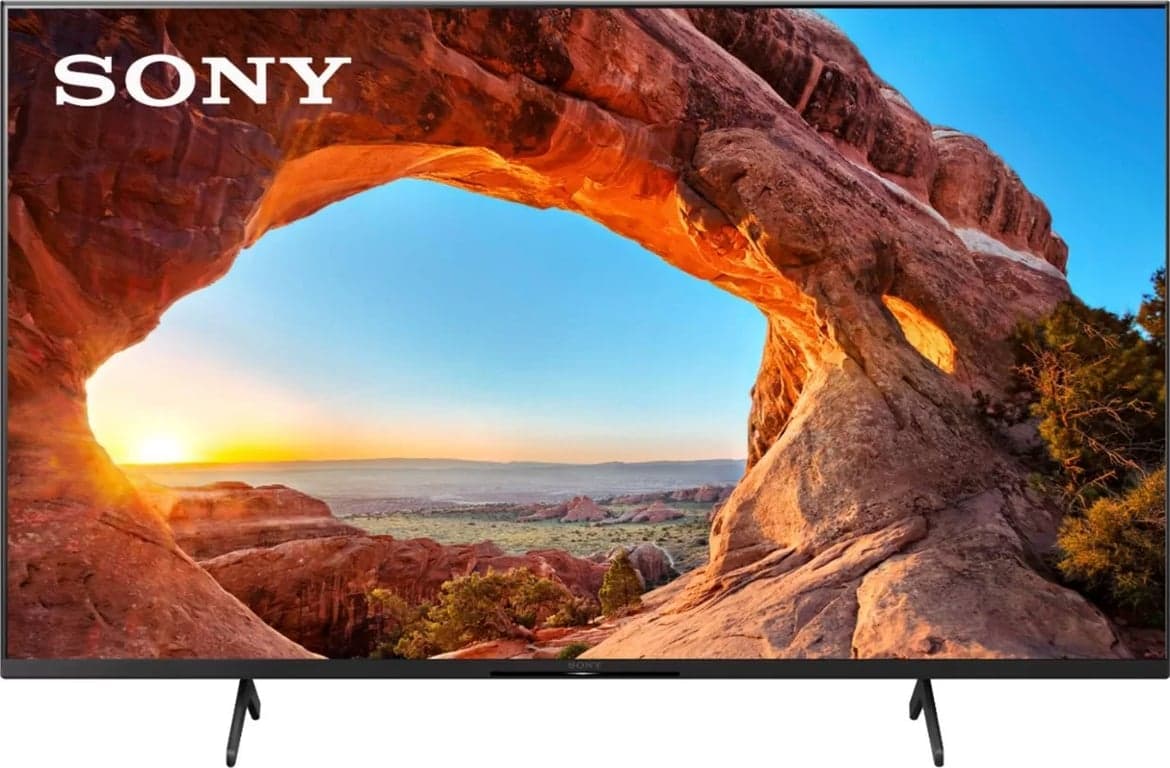
Playfield: 42-43" 4k 120hz
Update: Since posting this my 43″ X85J kicked the bucket. I went into hyper drive research and even had two of the top choices in my cabinet testing them as side by side as can be. Because of this, I decided to create a separate page discussing the playfield choice that I made and why.
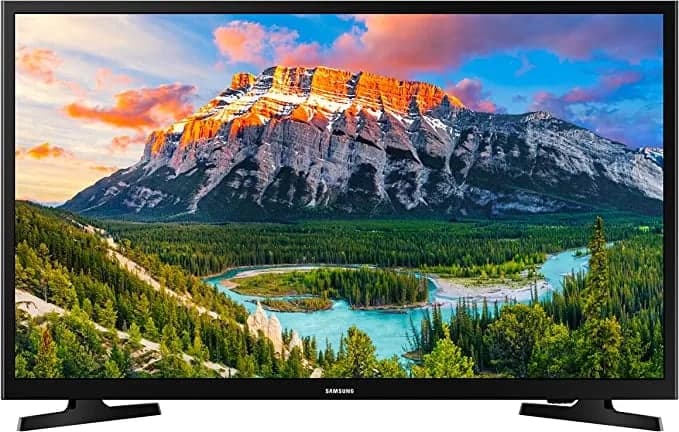
BackBox: 32" 1080P
Recommendation: Any used 32″ 1080p
Once again, these are deals that you have to be patient on. Instead of searching for "32 inch 1080p" tv, search for all 32″ tvs and pay attention to the model number. If the model number isn't listed just ask!
Often sellers are looking to dump these smaller TVs as they are not in high demand. They may not even check to see what the resolution is. A seller that promotes a 32″ 1080p tv likely wants to get a premium price. I grabbed a LG 32″ 1080p tv for $25 because it was missing the stand and had some scratches on the frame. These are two things that do not matter in a backbox.

DMD: Full DMD
Recommendation: 1920×1080 15.6″
Purists will say go with a real DMD for the virtual pinball machine while modernists will swear by a full DMD. In my opinion it is better to use a full 1920x1080p DMD screen. Full screen DMDs can replicate the dimensions of a real DMD but a real DMD can never go full screen.
TerryRed (and others) have developed some beautiful games that utilize a full screen DMD.
This was one of my most frustrating purchasing experiences. Multiple sellers on eBay sold me one model but shipped another. Often lower resolution and most importantly incompatible with the control board that I was using. I paid a bit of a premium for Amazon sold products but everything came correct and working on the first try. eBay may help you cut this cost by $20 but in my opinion it just isn't worth it. Save money elsewhere.
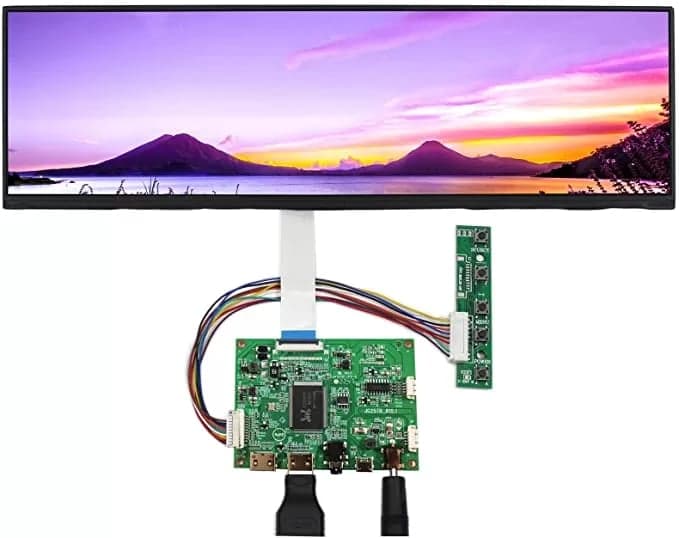
Topper
Someone bought me the topper hardware for Christmas, otherwise I would likely have did without one. Toppers are cool but completely unnecessary as they don't serve any functional purpose during gameplay. They look great as an unecessary addition to your virtual pinball machine though!
I am running this 1920×515 display, it has a solid build quality and the image is clear.
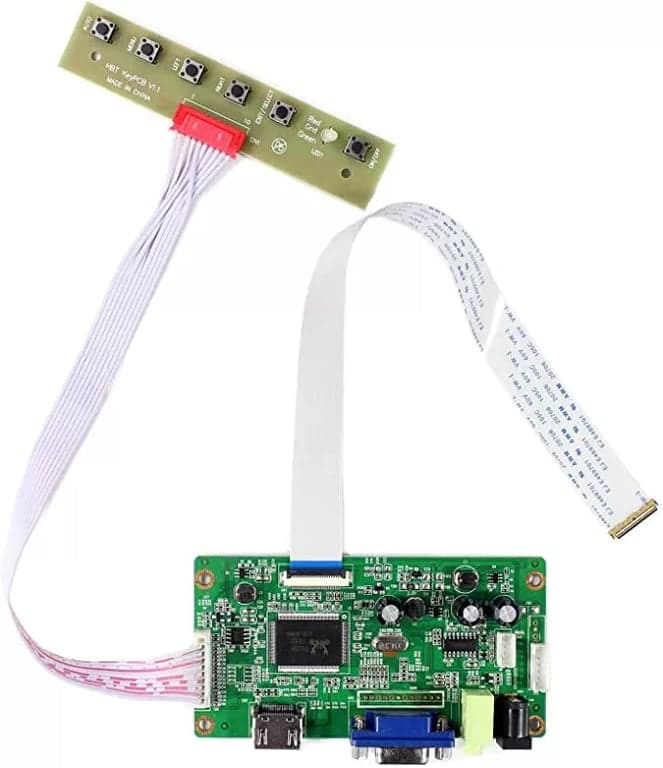
Full DMD, Control Board
The control board is a critical component for connecting your DMD display to your system. Make sure to get a compatible controller for your specific display model.
Look for boards that support both HDMI and VGA inputs for maximum flexibility.
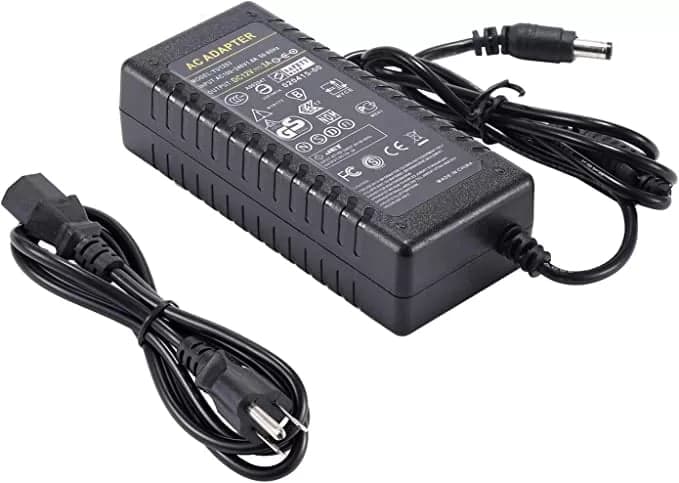
FULL DMD, Power Supply
Don't overlook the power supply for your DMD display. You'll need a reliable power supply that provides clean, steady power to avoid display issues.
This power supply has been tested and proven to work reliably with the recommended Full DMD setup.
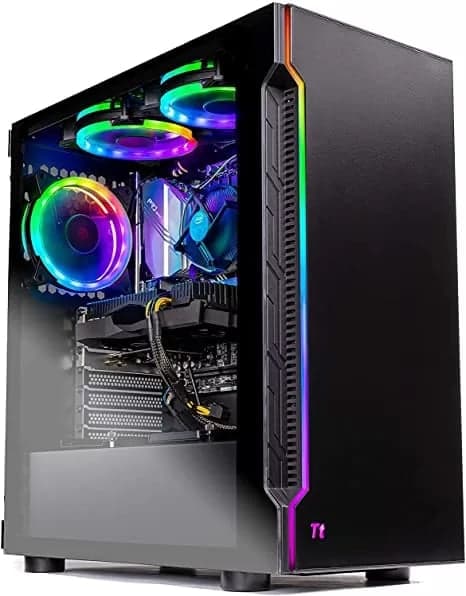
I had quite the adventure buying a PC for my virtual pinball machine. I decided to go used via Amazon warehouse. The first PC was shipped without a GPU inside of it! Amazon of course took the unit back, they have always been fantastic about returns.
Virtual Pinball has evolved dramatically and newer tables are power-hungry graphic-gobbling monsters. There's a significant difference between classic tables like Attack from Mars and modern ones like Future Pinball's Star Wars - both are extremely fun but have very different hardware requirements.
While the GPU is critical, a good modern CPU is equally important because virtual pinball typically runs on a single core. My RX 6700XT handles four screens and PUP packs well, but even it struggles when all the Star Wars lights are flashing with tie fighters flying above.
Wait for PC sales, then check Amazon Warehouse or Best Buy open box for deeper discounts. Run stress tests to verify performance. I paid $800 used for a PC that normally sells for over $1,200. This is a great way to save on this essential component without compromising quality.
Clicking these affiliate links supports the site at no extra cost to you. I receive a small commission from Amazon purchases made after clicking, which helps fund new content and site updates.
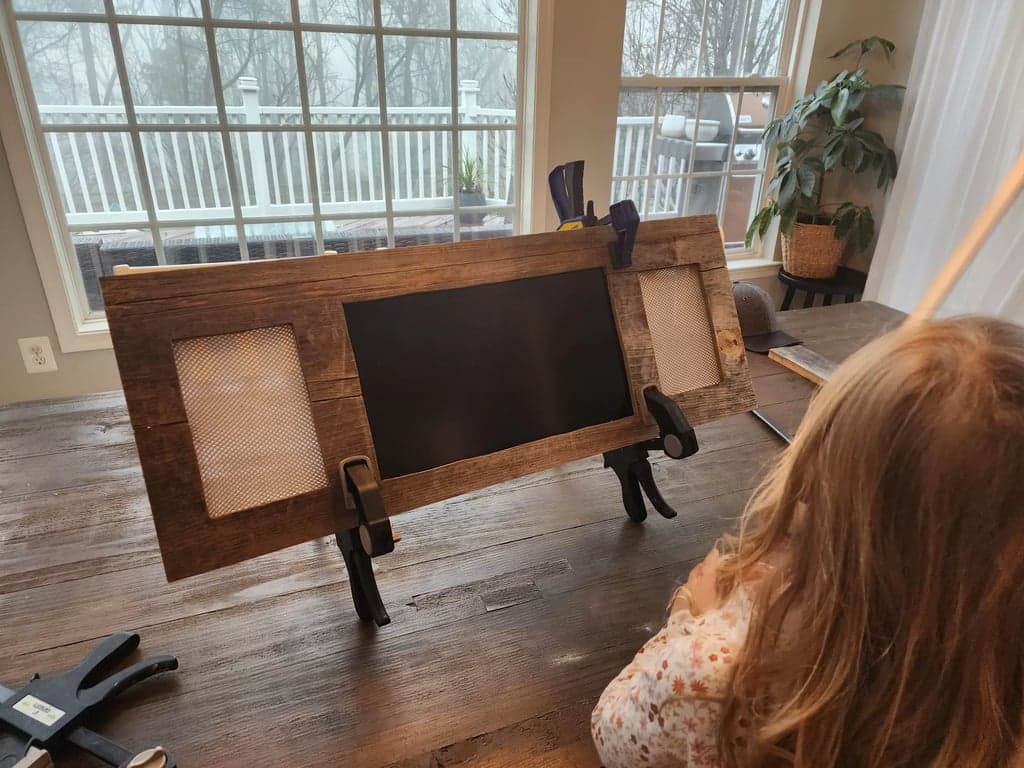
Full Size DMD using speaker fabric and reclaimed wood
The full size DMD screen has a plywood backing which is then layered with 2/32″ reclaimed wood. The speaker cutouts were made using speaker fabric that I bought off amazon. Navigate through the pictures below to see the different stages of the full DMD build.
Scroll to the gallery below to see the build progression from start to finish
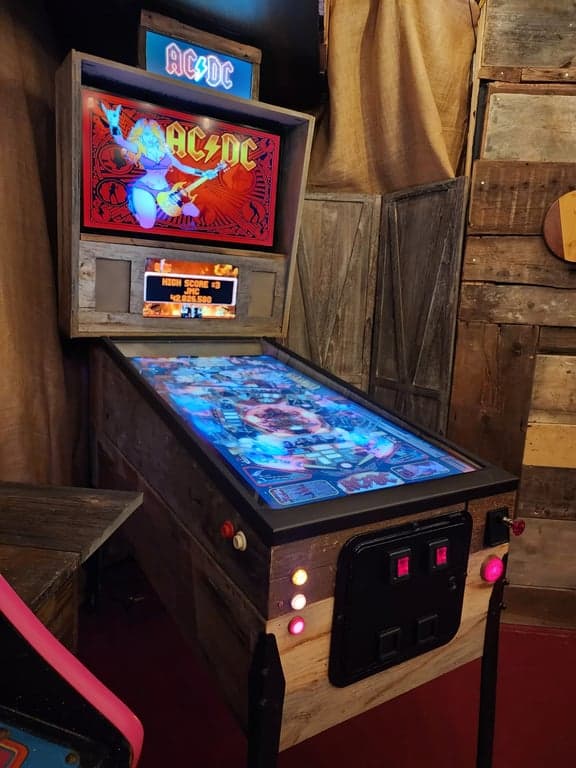
Virtual Pinball Machine – Reclaimed wood cabinet
My cabinet uses 22/32 plywood at the core. I then layered with 2/32″ reclaimed wood to create the aesthetic exterior. The wood was thinned down from much thicker boards using a combination of circular saw, hack saw and a planer. The 2/32″ boards were then glued and nailed using copper nails.
This fit the design of my speakeasy arcade.
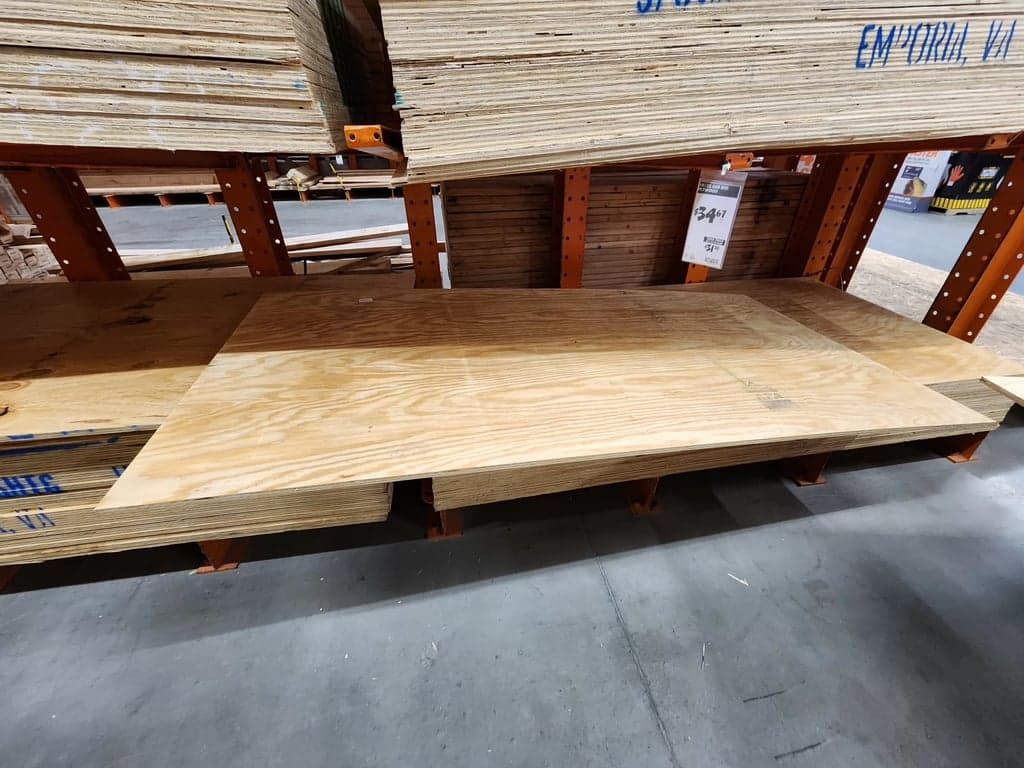
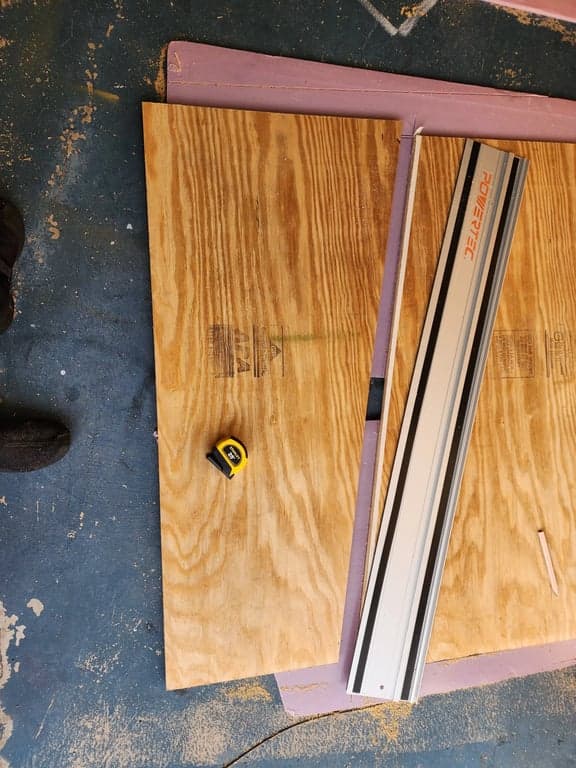
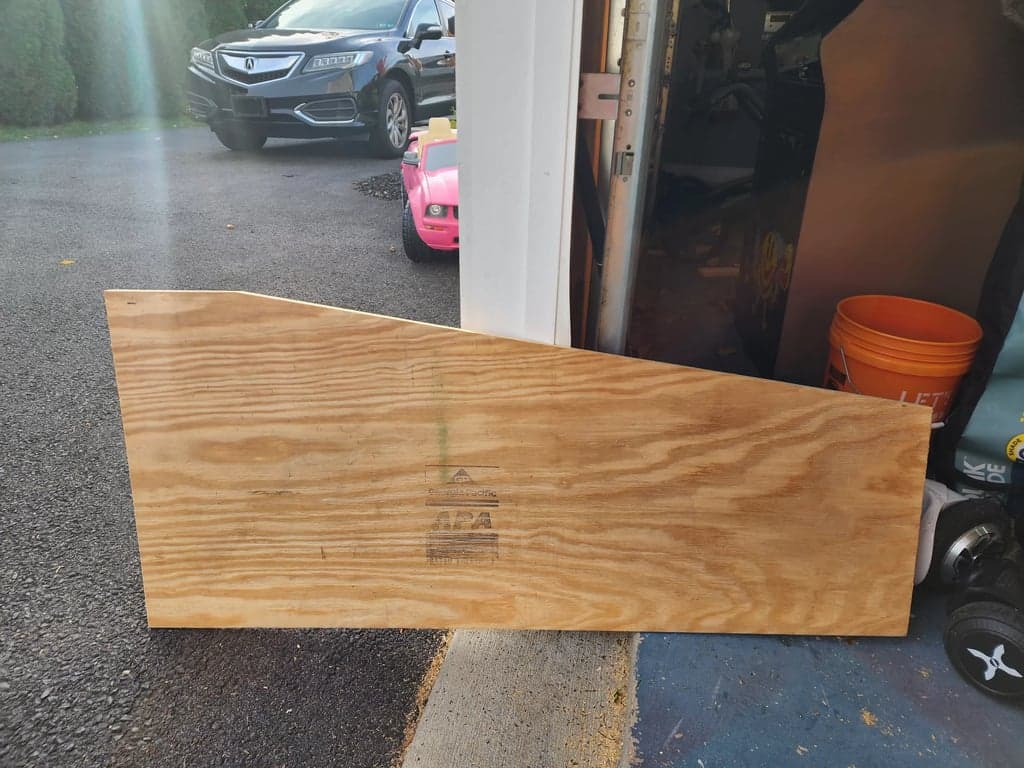
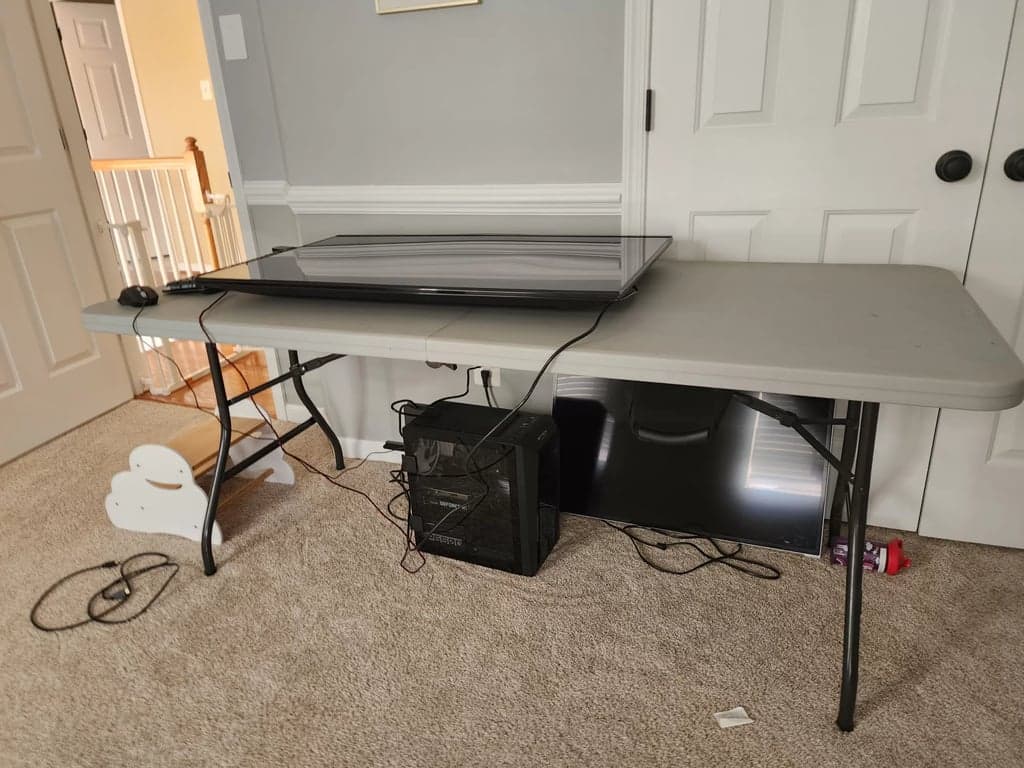
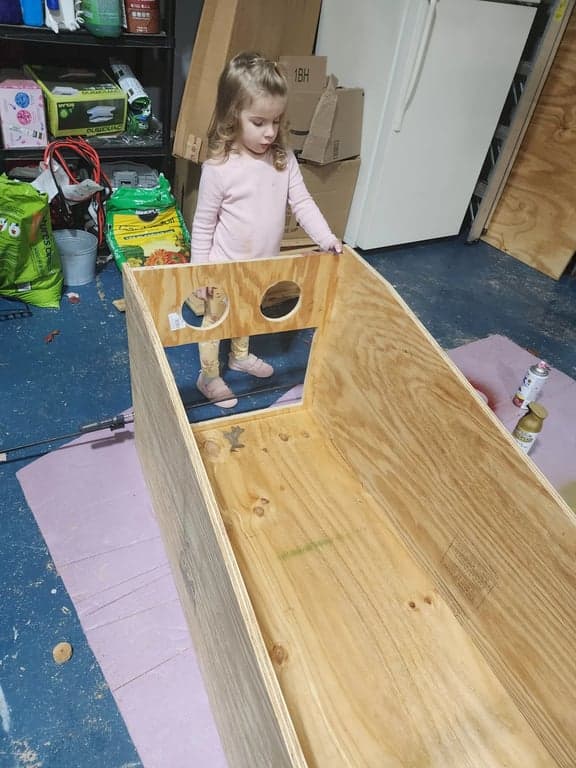
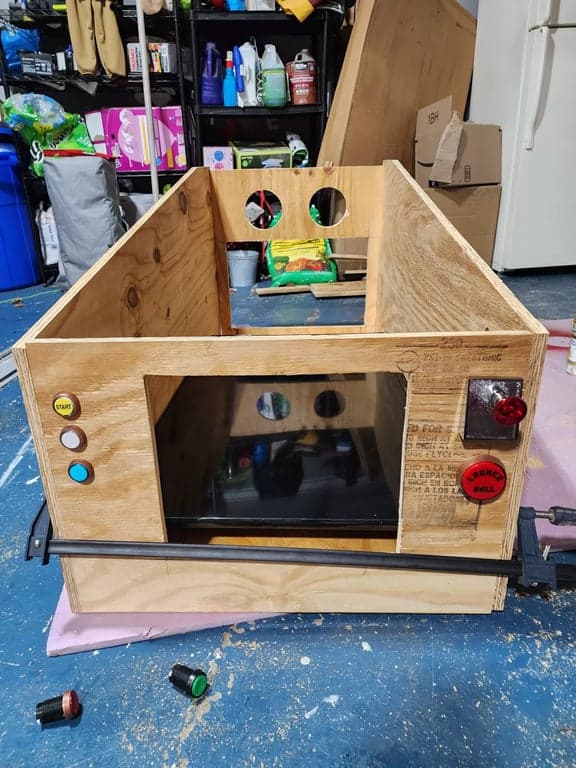
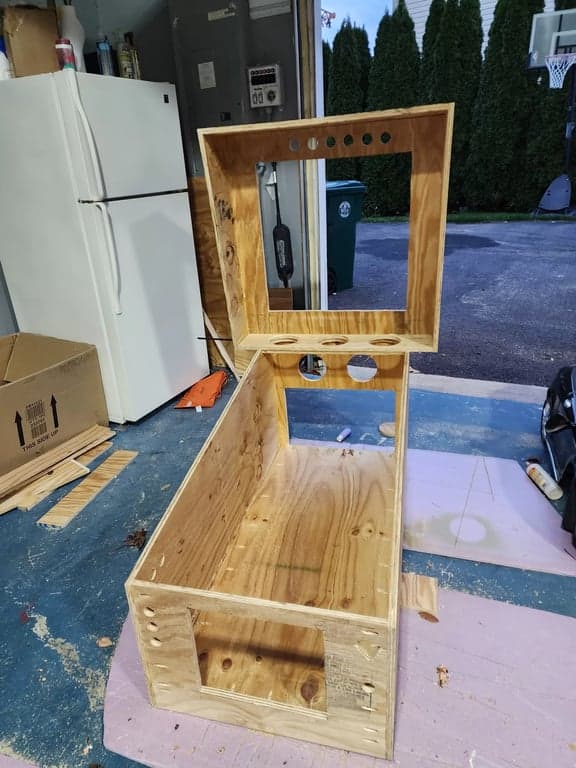
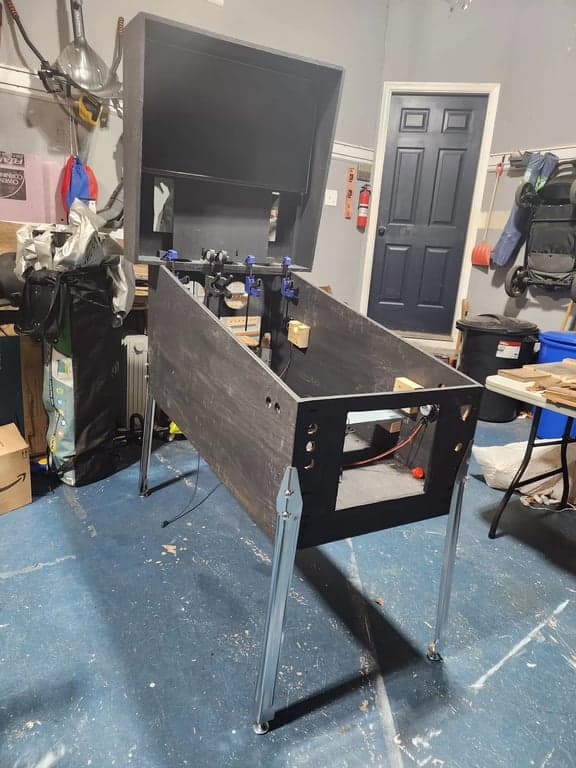
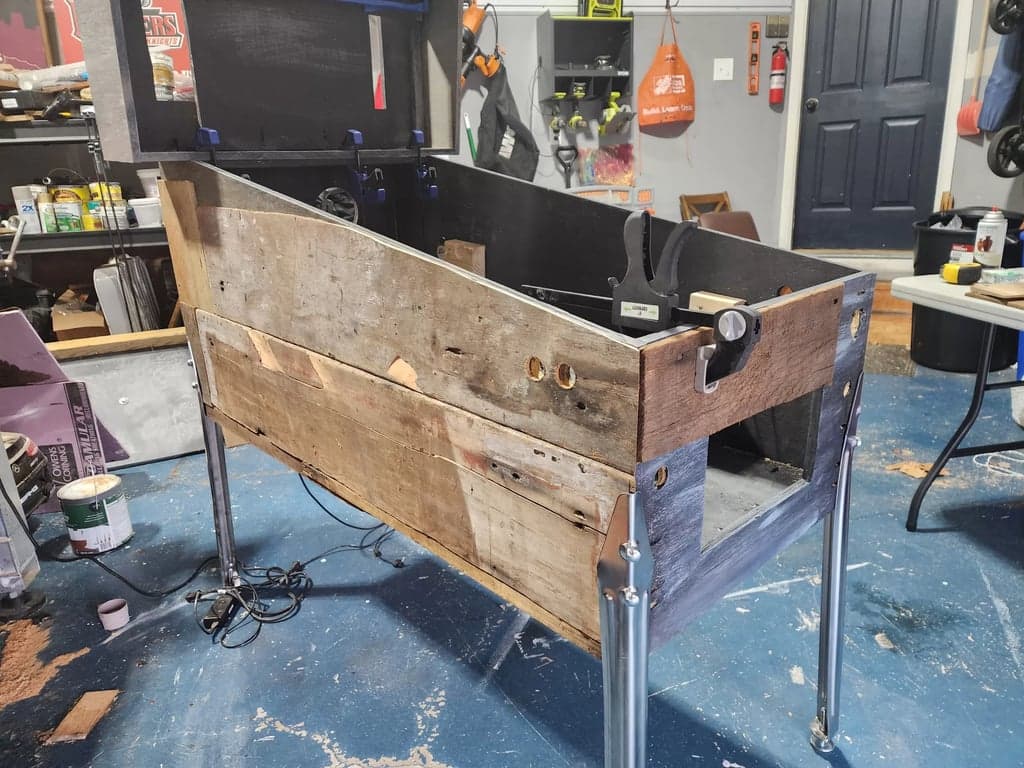
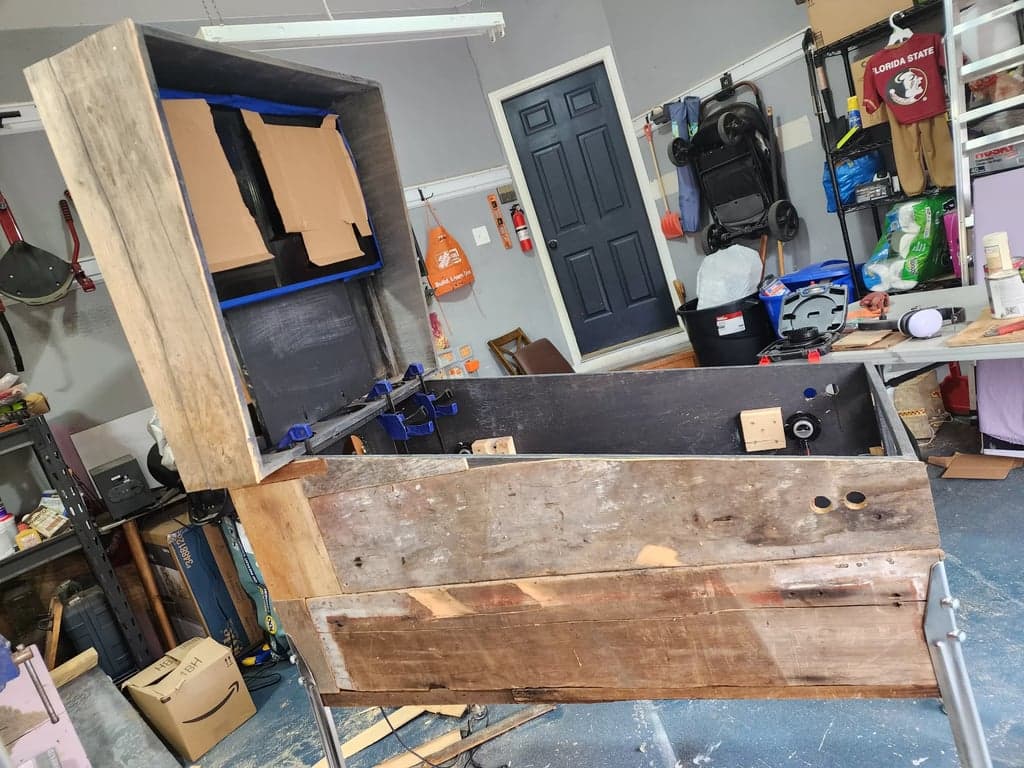
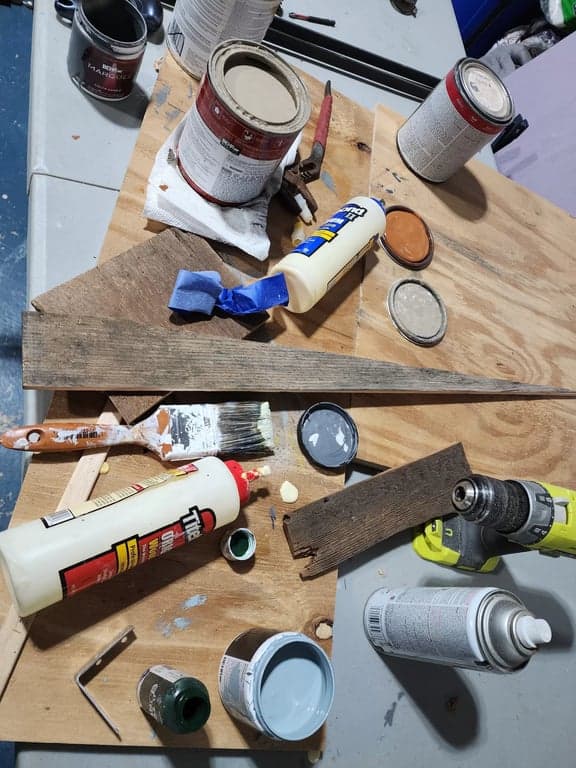
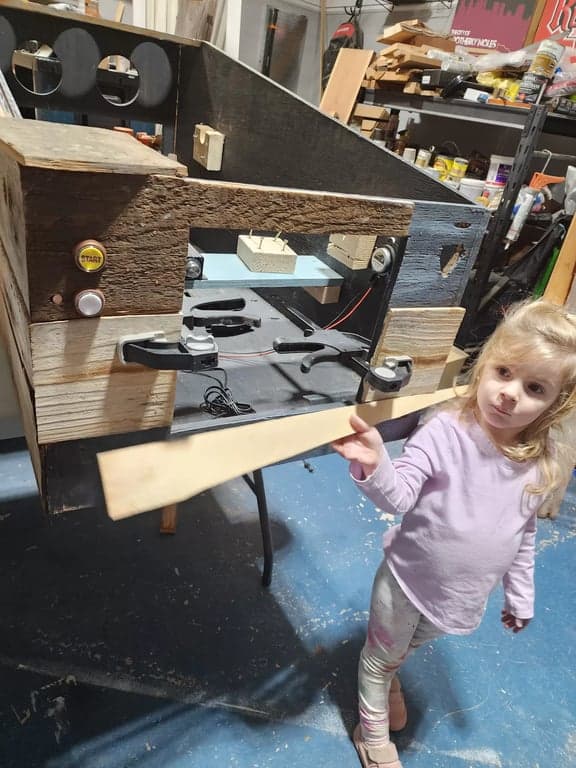
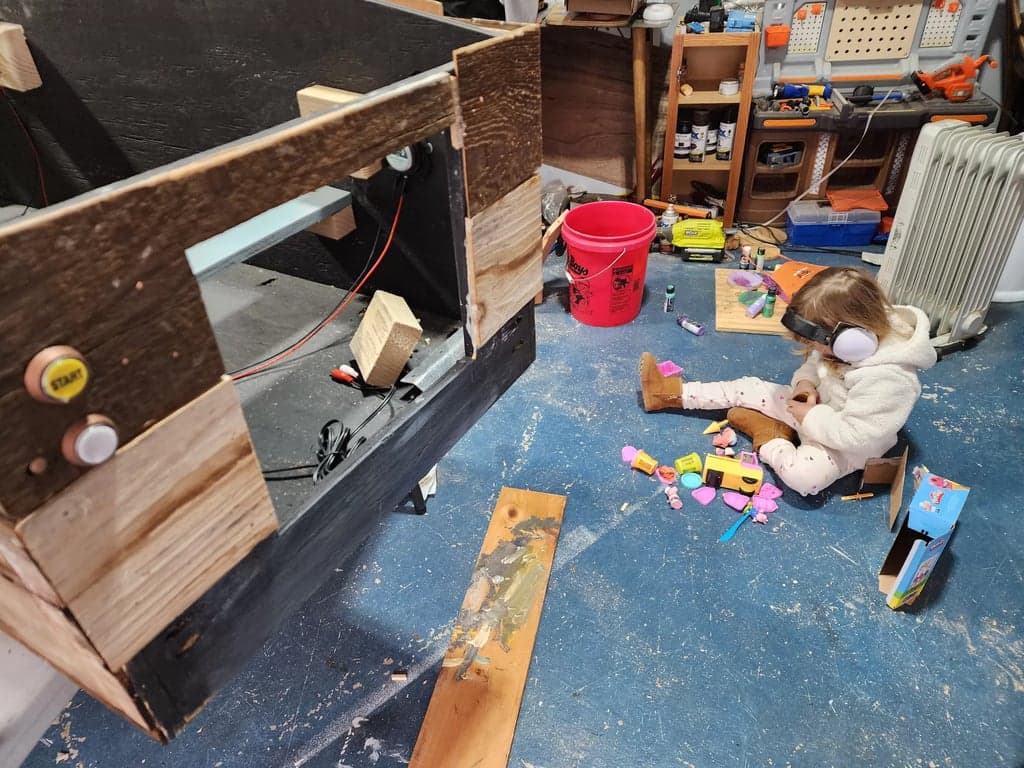
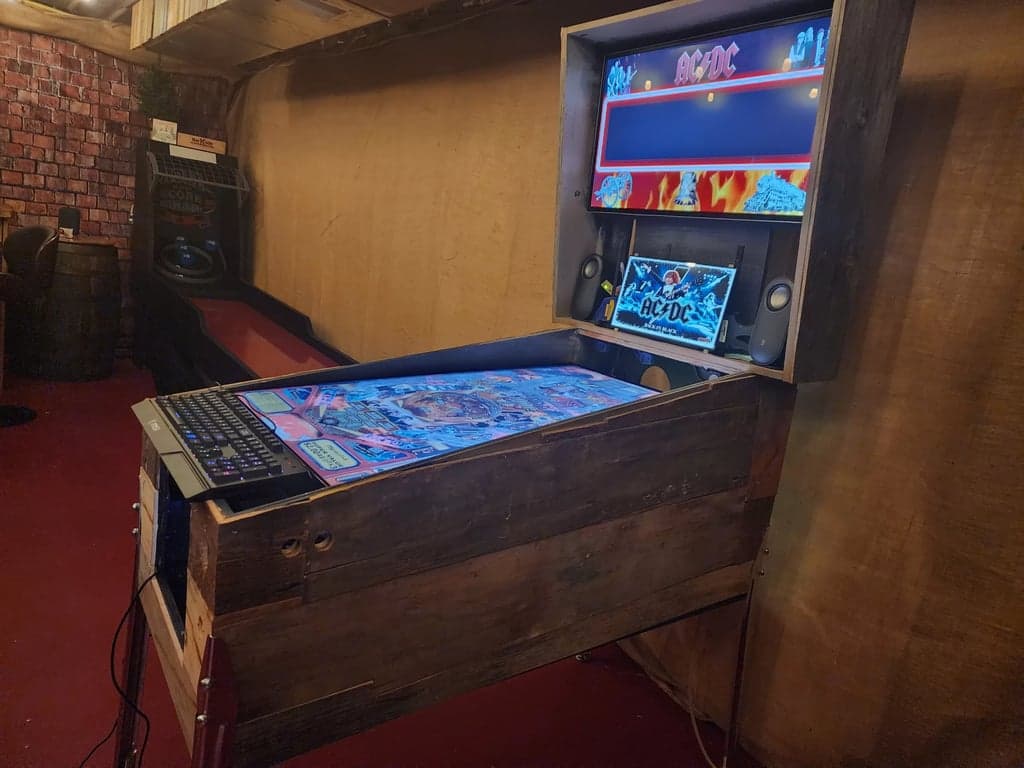
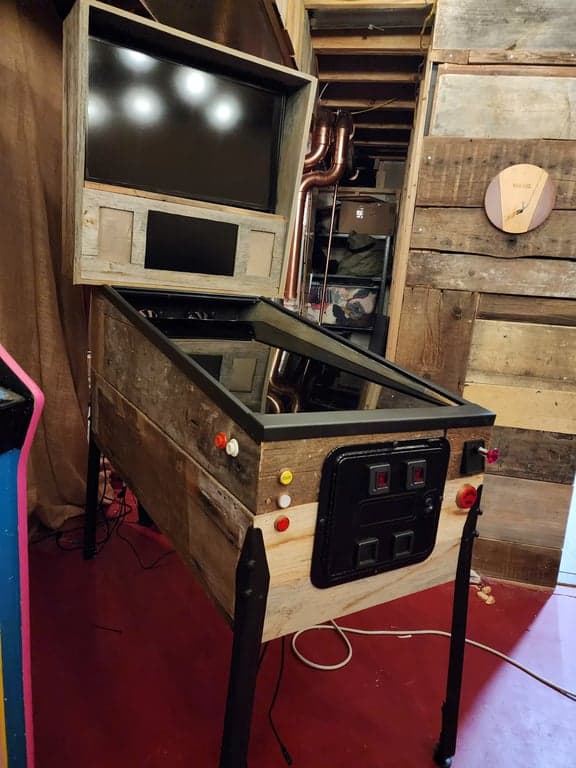
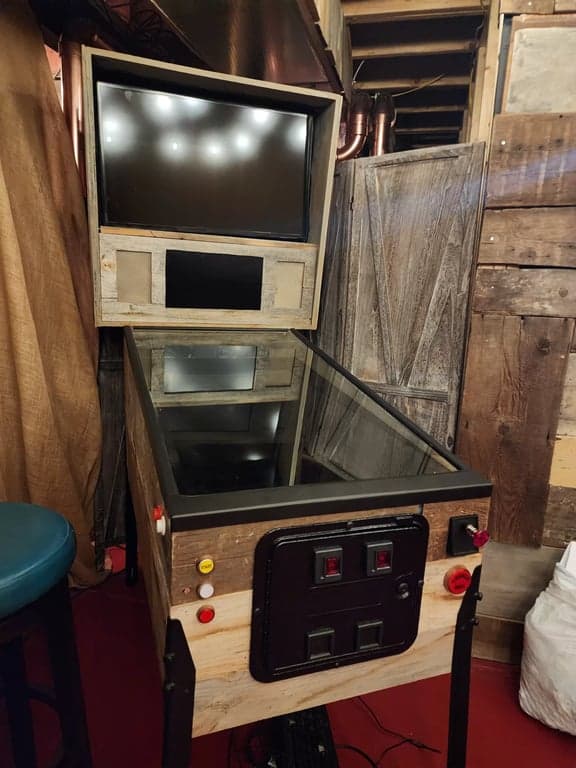
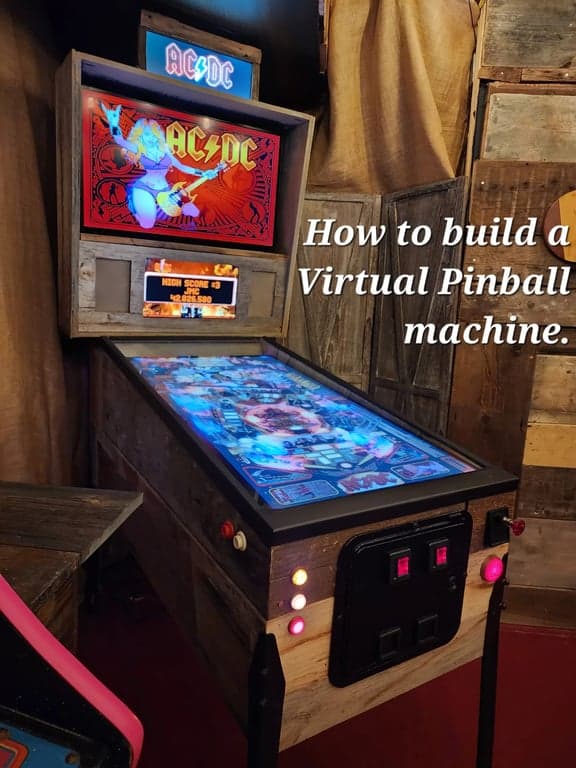
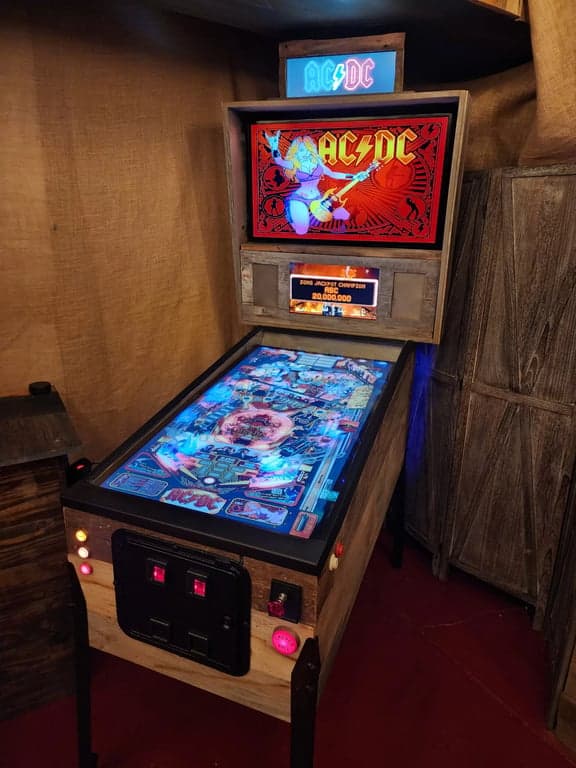
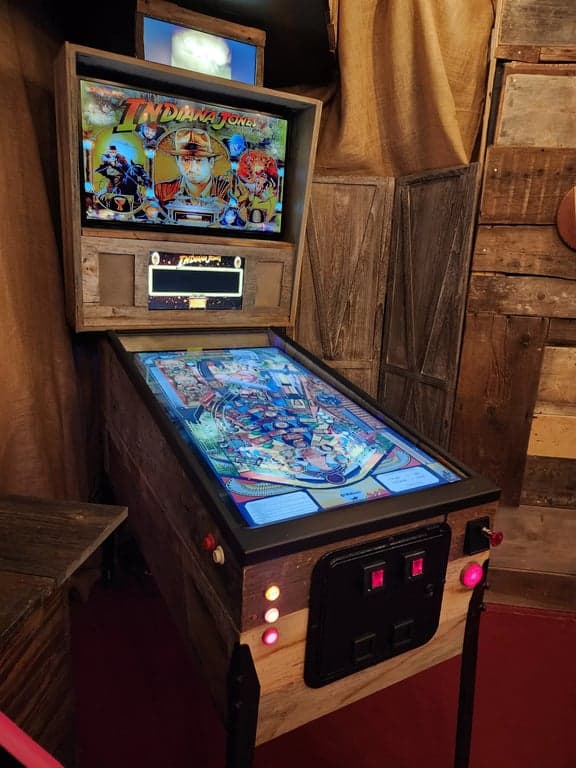
Raw wood, body proportions, and the first structural choices lock in the machine silhouette here.
Frame 01 spotlights: Virtual pinball machine in a workshop
Once the cabinet exists, the next question is whether the machine actually feels alive.
The next chapter moves from shell and screens into tactile feedback, software behavior, and the finishing details that separate a nice cabinet from a convincing one.
Your virtual pinball machine needs the right screens to create an immersive experience. Here's what you'll need for optimal visuals:
Playfield Display
Recommendation: LG C4 OLED 42" (2026 top pick). The C4 offers perfect blacks, instant response, and 120Hz at 4K. At ~$900 on sale, OLED is now the clear choice over LCD. The 2,100 nit peak brightness ensures vivid colors even in bright rooms.
Backbox Display
Recommendation: 32" 1080p TV or monitor. Displays scoreboard and backglass art. Resolution is less critical here than for the playfield. Used TVs work perfectly – check Facebook Marketplace for deals under $100.
DMD Display
Recommendation: 15.6" 1080p LCD or ZeDMD LED panel. Modern full-screen DMDs are preferable to traditional dot matrix for their versatility. They support both classic amber dot matrix and modern full-color animations. Budget $80-150.
Optional: Topper Display
A decorative screen mounted on top of the backbox. While visually appealing, this is entirely optional and does not affect gameplay. Typically uses a widescreen display with 1920×515 resolution. Consider this only after completing your core build.
SSF is a game-changer for immersion. It simulates the physical feedback of a real pinball machine, making your virtual experience incredibly realistic. Here are the key components:

Exciters
Essential ComponentEssential component (Recommendation: Dayton Audio DAEX32QMB-4). Mount 2-4 of these small speakers to the cabinet frame to provide positional audio feedback. They create the sensation of ball rolling, flipper movements, and bumper hits in specific locations.
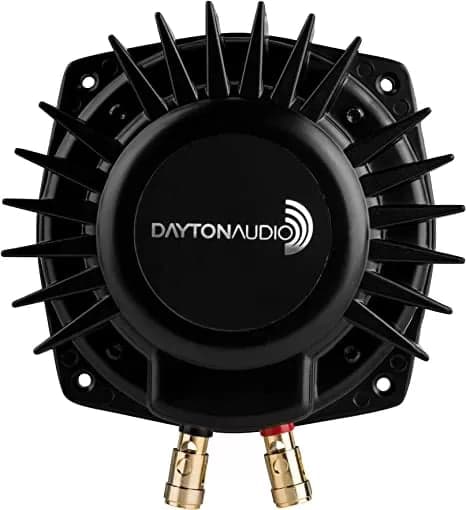
Bass Shakers
Highly RecommendedHighly recommended (Recommendation: Dayton Audio BST-1). Provides stronger vibrations for impacts and events. Dramatically improves the tactile feedback of the machine, creating a more authentic feeling experience.
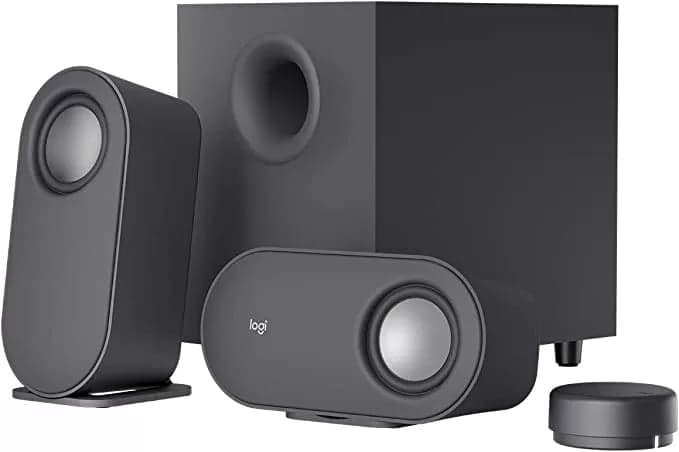
Backbox Speakers
Essential ComponentEssential component (Recommendation: Logitech Z407). Provides the main game audio. The wireless volume control and down-firing subwoofer of this model work particularly well for cabinet integration.
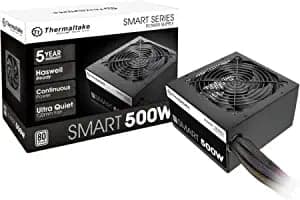
Power Supply
Essential ComponentEssential component (Recommendation: Thermaltake Smart 500W). Powers the SSF components and cabinet lighting. Provides both 5V and 12V outputs which simplifies wiring for various components.
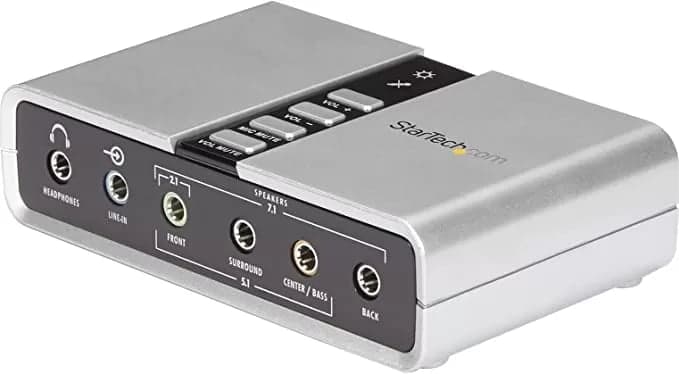
Sound Card
Essential for SSFEssential for SSF (Recommendation: StarTech 7.1 USB). Required to output audio to multiple channels for positional feedback. USB sound cards are an easy addition if your PC doesn't have built-in 7.1 support.

Baller Installer
All-in-one installation package for virtual pinball
- Simplifies software setup
- Includes Visual Pinball and related tools
- Regularly updated
- Recommended for beginners

VP Forums & VP Universe
Community resources for tables and support
- Table downloads
- Technical support
- Setup guides
- Community discussions
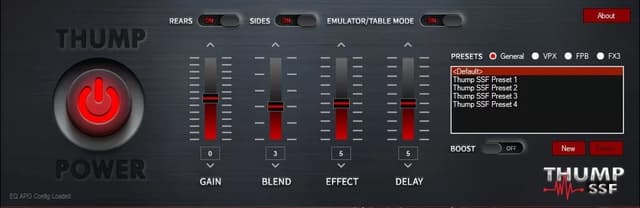
Thump SSF
Software for controlling Surround Sound Feedback
- Controls tactile feedback
- Customizable settings
- Table-specific profiles
- Enhances immersion
The last stretch is where a working build becomes a polished build.
The final cluster is about avoiding self-inflicted mistakes, finding the right communities, and closing out with the practical questions builders always come back to.
Choose Widebody Design
Standard vs. widebody is an important early decision. Widebody cabinets provide more space for components and can accommodate larger playfield displays (up to 43"). Unless space is extremely limited, widebody designs offer more flexibility.
5V Instead of 6.3V Lighting
While some purists recommend 6.3V for incandescent lighting, 5V direct from the power supply is simpler and typically provides sufficient brightness. In blind tests, many users actually prefer the slightly subdued 5V lighting.
Stick to Standard Dimensions
Using standard cabinet dimensions allows for easier integration of pre-made parts, artwork, and accessories. Custom sizes can lead to complications when trying to use commercial pinball hardware. For tips on finishing your cabinet, see our guides on sanding and applying polyurethane.
Minimize Visible Buttons
A cleaner design limits front-facing buttons to essential controls. Place secondary buttons inside the cabinet or underneath to maintain a streamlined appearance. Typically 3 buttons on the left, 2 coin door buttons, and a launch button are sufficient.
Use Terminal Blocks
Terminal blocks provide clean, organized wiring that can be easily disconnected for maintenance or upgrades. This small investment dramatically improves the build quality and future serviceability of your machine.
Choose SSF Over Solenoids
While both provide tactile feedback, modern SSF setups offer more precise, customizable, and quieter operation than traditional solenoids. SSF is also simpler to implement with fewer mechanical components that might fail.
Practice Patience
Virtual pinball is a complex project requiring patience. When stuck, step back and consult online resources. Almost every problem has been encountered and solved by the community. Forums and build guides contain solutions to most common issues.
Crowdfunding IntelGaming Trust Reports
Building your dream pinball cab from a Kickstarter kit? BackerGuardian provides independent trust analysis on crowdfunded gaming hardware — so you can pledge with confidence.
View on BackerGuardian