| Money |
|---|
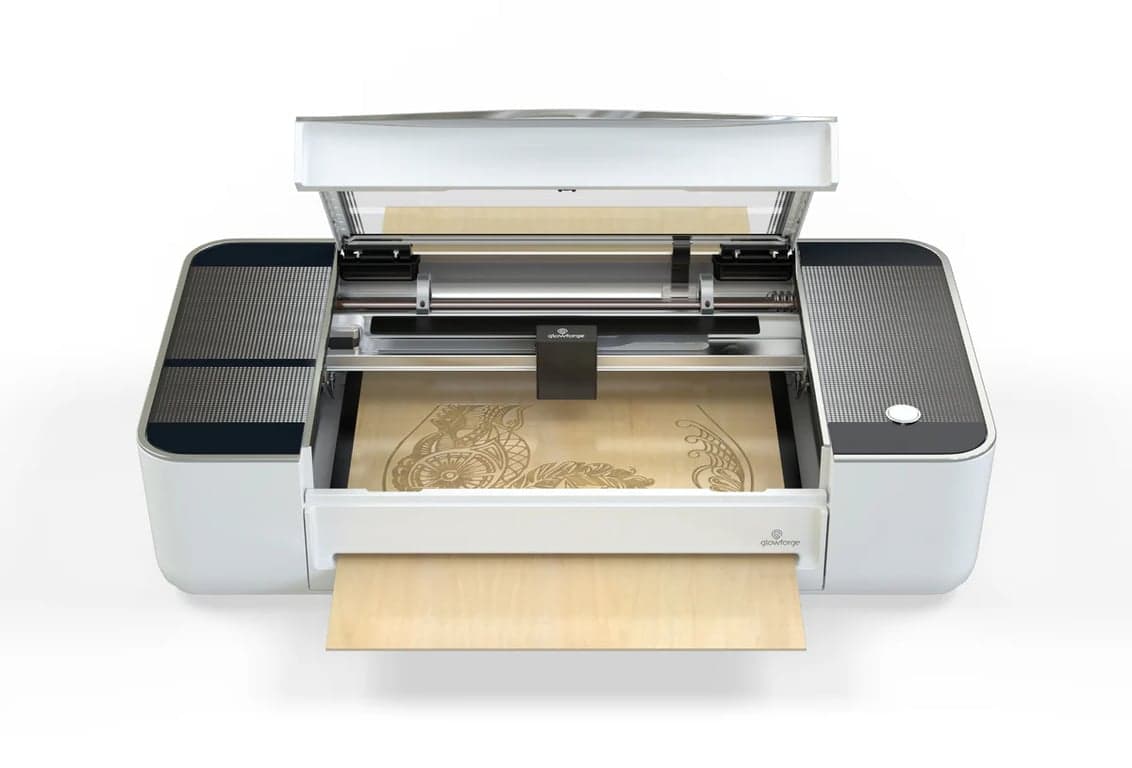
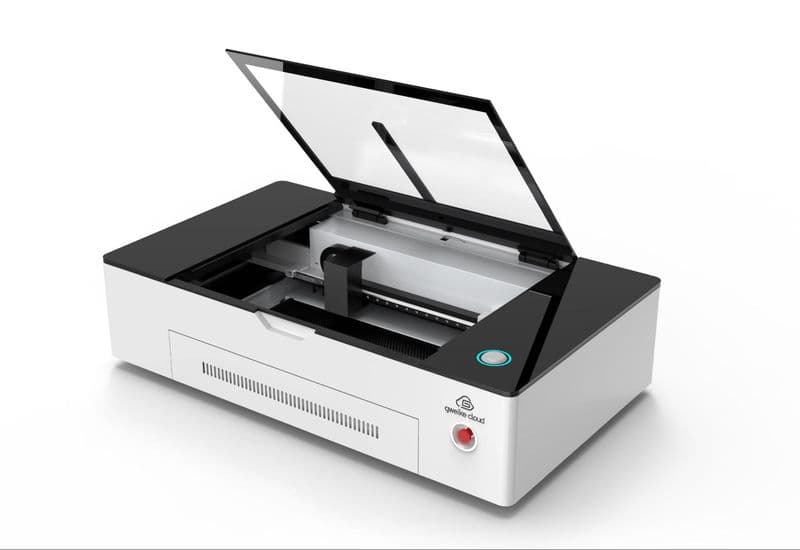
| Price (checked) | $5,199.99 buy-box price, checked July 7, 2026↗ | $3,699.99 buy-box price, checked July 7, 2026↗ | $3,399 Standalone, checked July 7, 2026↗ | $6,999 Standalone, checked July 7, 2026; no active machine discount↗ | $2,999 Certified Rebuilt only, checked July 7, 2026; page shows Sold Out badge while feed reports available↗ | $5,795 for 30W / $7,995 for 60W, checked July 7, 2026↗ |
|---|
| List / compare-at | $7,599.99 compare-at↗ | $5,199.99 compare-at↗ | $4,499 compare-at↗ | $6,999 (compare-at equals price)↗ | not documented | Same as current price at check↗ |
|---|
| Active promo | First 100 orders extra $150 off (code POLAR2FIRST100); free LightBurn↗ | First 100 orders extra $150 off (code POLAR2FIRST100); free LightBurn↗ | Mid-Year Sale markdown live at check↗ | None machine-specific at check; sitewide holiday banner live↗ | Referral $2,499; preorder plan 15% off; $150 Proofgrade materials↗ | $99/mo × 6 intro financing; free gift ($750 value)↗ |
|---|
| Engine |
|---|
| Laser source | RF metal CO2 tube, air-cooled↗ | DC glass CO2 tube, closed-loop water-cooled↗ | DC glass CO2 tube, water-cooled (onboard tank + antifreeze)↗ | CO2 tube (glass/RF construction not documented), 10.6 µm↗ | Sealed custom DC glass CO2 tube, 10,600 nm↗ | RF metal CO2 tube (SPT), air-cooled↗ |
|---|
| Power | 50W↗ | 70W↗ | 55W↗ | 80W↗ | 45W↗ | 30W standard / 60W option↗ |
|---|
| Tube life (as documented) | Up to 30,000 hrs (manual bands: 30k/25k/20k at <40%/40–70%/>70% power); RF renewable↗ | ~10,000 hrs at <40% power — but 1,500 hrs at >70% per official FAQ; consumable, non-renewable↗ | 6,000–8,000 hrs per support FAQ; tube warrantied only 6 months as a consumable↗ | ~10,000 hrs per FAQ; tube warrantied 6 months as wearing part↗ | not documented | 10,000+ hrs (global comparison table only)↗ |
|---|
| Max speed | 2,000 mm/s engrave (X); 500 mm/s Y per manual↗ | 1,200 mm/s engrave (X); 12,000 mm/s² accel claim↗ | 600 mm/s; 6,400 mm/s² X accel↗ | 1,200 mm/s; 19,600 mm/s² X accel↗ | not documented | 1,500 mm/s per US pages (global site claims 2,000 — see contradictions)↗ |
|---|
| Spot size | 0.07 mm (marketing copy; not in manual spec table)↗ | not documented | 0.15 × 0.15 mm↗ | 0.15 × 0.18 mm standard M lens (S/L optional; FAQ lists different values)↗ | ~0.008 in spot; 0.025 mm positioning precision↗ | not documented |
|---|
| Capacity |
|---|
| Work area | 28 × 14 in (710 × 360 mm)↗ | 28 × 14 in (710 × 360 mm)↗ | 23.6 × 12 in (600 × 305 mm)↗ | 36 × 18 in (915 × 458 mm) — "2.3x larger than P2S"↗ | 11 × 19.5 in cutting area; 20 in wide material↗ | 20 × 12 in (508 × 305 mm)↗ |
|---|
| Max material height | 4.53 in (115 mm)↗ | 4.92 in (125 mm)↗ | 2.7 in without tray; 8.46 in with separate Riser Base↗ | 220 mm manual mode / 180 mm auto mode↗ | 2 in tray removed / 0.5 in with tray↗ | 110 mm (4.33 in) per global spec↗ |
|---|
| Pass-through | None (official FAQ: no pass-through openings)↗ | None (official FAQ: no pass-through openings)↗ | AutoPassthrough branding — 118 in lengths require the separate Automatic Conveyor Feeder, max 14 mm thick↗ | None built-in — optional Intelligent Conveyor Feeder ($599) to 60 in std, 5 m max; conveyor use reclassifies machine to Class 4↗ | Yes — Pro Passthrough: 1/4 in thick, 20 in wide, unlimited length↗ | Front pass-through door, unlimited length (513 mm width)↗ |
|---|
| Workflow |
|---|
| Camera | 16MP, ±1 mm positioning, full-bed view↗ | 16MP, ±1 mm positioning, full-bed view↗ | Dual 16MP (close-range + panoramic), 0.3 mm positioning↗ | 4-camera stack: 16MP SkyView panoramic + close-range + 2 side flame cams↗ | Dual cameras: lid wide-angle (±6 mm) + head macro (±0.1 mm); HD live view reserved for Pro HD↗ | Integrated bed camera (5MP per global site)↗ |
|---|
| Autofocus | Yes — one-touch↗ | Yes — one-touch↗ | Yes↗ | Yes + LiDAR ranging + motorized AutoLift base (16 kg capacity)↗ | Yes — laser height measurement, internal lens travel↗ | Yes — touch-pin autofocus + red dot↗ |
|---|
| Software | FREE LightBurn license included; RDWorks V8 compatible↗ | FREE LightBurn license included; RDWorks V8 compatible↗ | xTool Studio / XCS (free, proprietary)↗ | xTool Studio (PC) ONLY↗ | Glowforge Print cloud app — internet REQUIRED to start every print; no offline mode↗ | LightBurn INCLUDED (tier not stated); RDWorks/LaserMaker compatible↗ |
|---|
| LightBurn | Yes — free license bundled↗ | Yes — free license bundled↗ | Partial — official .lbdev config, flat-material only: no camera, autofocus, or framing through LightBurn↗ | No — "Lightburn and XCS (mobile and iPad versions) are not supported"↗ | No — no third-party machine control; cloud app only↗ | Yes — license included↗ |
|---|
| OS support | Windows/macOS/Linux via LightBurn↗ | Windows/macOS/Linux via LightBurn↗ | Windows / macOS↗ | Windows 10 64-bit / macOS 11+; no Linux/ChromeOS↗ | Browser-based: Mac/PC/Linux/mobile (internet required)↗ | not documented |
|---|
| Connectivity | USB / U-disk / Ethernet / Wi-Fi↗ | USB / U-disk / Ethernet / Wi-Fi↗ | USB / Wi-Fi (Ethernet appears in support docs)↗ | USB / Wi-Fi (2.4G+5G) / BLE 5.1; no Ethernet documented↗ | Wi-Fi 2.4 GHz only; no Ethernet port↗ | Ethernet / USB cable / USB disk (global site); 1GB onboard memory↗ |
|---|
| Shop reality |
|---|
| Air assist | Built-in pump, 14–17 L/min↗ | Built-in pump, 14–17 L/min↗ | Built-in dual-cylinder pump, up to 200 kPa, software-adjustable↗ | Built-in dual-cylinder pump, 30 L/min, 200 kPa↗ | Internal, no external compressor↗ | Dual-stage (low/high), pump included↗ |
|---|
| Cooling | Air-cooled — no water loop at all↗ | Integrated closed-loop water cooling, 4.3 L tank, auto-shutoff protection↗ | Built-in water cooling; user fills antifreeze + purified water↗ | Built-in water cooling + chiller, 1.2 L tank, user-filled↗ | Closed-loop liquid + thermoelectric cooler; 60–81°F operating range↗ | Air-cooled — no chiller↗ |
|---|
| Exhaust / filtration | Duct fan + pipes included; NO filtration (300W Fume Extractor $749.99 separate)↗ | Duct fan + pipes included; NO filtration (300W Fume Extractor $749.99 separate)↗ | Built-in dual-fan exhaust (14,000 RPM); filter screens need cleaning every 4 hrs of continuous use; AP2 purifier separate↗ | No built-in fan — SafetyPro IF2 2.0 inline fan INCLUDED in box↗ | 4-in hose included (8 ft max run); Performance Filter $1,295 + $249 cartridges for windowless use↗ | Integrated 375 CFM fan, 4-in port; no filtration (Thunder Air 700 separate)↗ |
|---|
| Laser class | Marketed Class I enclosed; manual spec table lists laser as Class 4↗ | Marketed Class I enclosed; manual spec table lists laser as Class 4↗ | Class 4 (FDA certified per support FAQ), interlocks + AI fire detection↗ | Class 1 standalone (Class 4 with conveyor); 8 flame sensors + built-in CO2 fire suppression (gas cylinder sold separately)↗ | Class 4 (passthrough slots); Pro Shields create "Class 1 conditions"; UL certified↗ | Class 1 fully enclosed; "FDA Class 1, CE" per global table↗ |
|---|
| Rotary | Basic rotary axis INCLUDED in box↗ | Basic rotary axis INCLUDED in box↗ | Not included — RA2 Pro/RA3 separate, Riser Base required for full range↗ | Not included — RA3 separate; autofocus only works with RA3↗ | None offered or supported↗ | Rotary tray included; rotary attachment separate↗ |
|---|
| Footprint | 46.4 × 27.3 × 14.3 in↗ | 46.4 × 27.3 × 14.3 in↗ | 39.4 × 25.1 × 10.6 in↗ | 49.2 × 30.7 × 19.5 in↗ | 38 × 20.75 × 8.25 in↗ | 37.0 × 28.5 × 19.6 in↗ |
|---|
| Weight | 220.5 lb (100 kg) net (manual)↗ | 216.1 lb (98 kg) net (manual)↗ | 99.2 lb (45 kg)↗ | 231.5 lb (105 kg); ships freight↗ | 55 lb (25 kg)↗ | 169.7 lb net↗ |
|---|
| Warranty | 2-yr machine; RF tube 24 months↗ | 2-yr machine; glass tube only 12 months↗ | Main components 12 mo; laser tube 6 mo; mirrors 3 mo↗ | Main parts 12 mo; tube/filter/silencer 6 mo↗ | 12 mo new (rebuilt buy-box advertises 3-month guarantee — page contradicts itself)↗ | 2-yr machine + lifetime US-based support↗ |
|---|