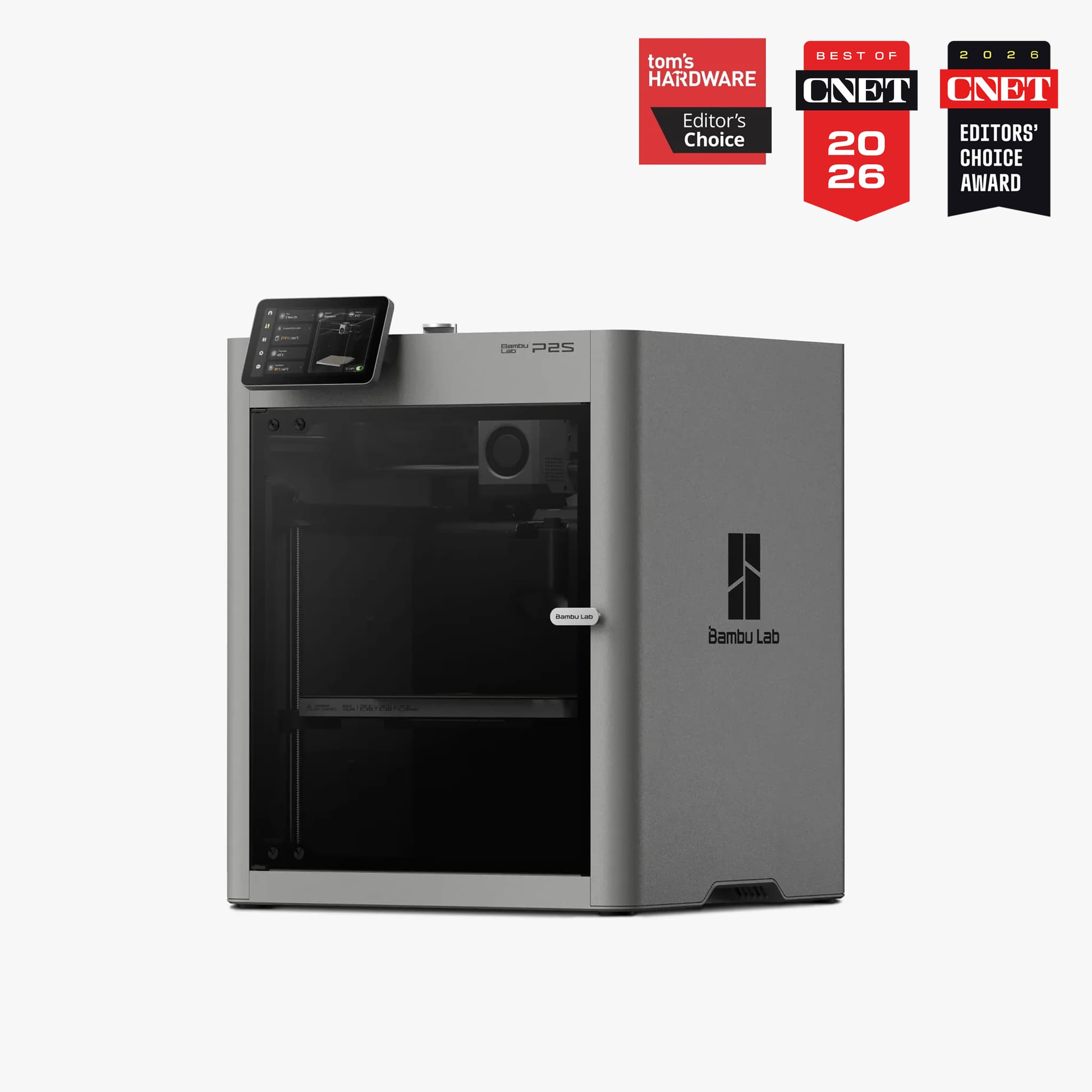
Updated May 22, 2026

Bambu P2S vs P1S: Which Bambu 3D Printer Should You Buy in 2026?

Bambu Lab's P-series printers became fixtures in print farms and home workshops because they combine high-speed CoreXY motion, auto-calibration, multi-material support, and reasonable pricing. This review compares the P1S and P2S using official specs, current U.S. pricing signals, and owner experience through May 2026.

Quick Answer

As a P2S owner, I think Bambu P2S is the better new-buy machine in 2026 when the price gap is modest. P1S still makes sense for budget buyers and current owners because it keeps the same 256 mm build volume and proven enclosed CoreXY workflow without the newer P2S automation stack.
Source-CheckedNo Live-Price GuessingOfficial Bambu Specs

Paid link disclosure: this page may include Bambu Lab affiliate links. Current prices, bundles, and stock can change at checkout, so the buying logic here is intentionally separated from live offers.

P2S launchOct 2025Bambu framed it as the reengineered P-series evolution.
P1S launchJul 2023The proven enclosed successor to the P1P.
Shared footprint256 mm cubeSame build volume, different control stack.
Owner verdictP2S newBetter new buy; upgrade only when the workflow need is real.

Overview

The P2S is the stronger new buy. The P1S is still a real value decision.

The P1S arrived in 2023 as the fully enclosed, consumer-friendly successor to the open-frame P1P. It brought automatic bed leveling, a built-in camera, enclosed printing, and AMS compatibility into a package that became common in home shops and print farms.

In late 2025, Bambu Lab introduced the P2S as the next P-series evolution, borrowing technology from the newer H-series. The big changes are not build volume; both machines use the same 256 mm cube. The changes are extrusion control, airflow behavior, interface, monitoring, hotend service, and AMS expansion.

My verdict is straightforward: if you are buying new in 2026, the P2S is the better overall machine when the price difference is modest. If you already own a reliable P1S, the upgrade is less obvious because the P2S improves the workflow more than it changes the size or core print category.

Key differences at a glance

The two machines are the same size, but not the same experience.

The table below keeps the buying decision grounded in official Bambu specs and May 2026 market context. Prices and bundles can change, so use the money rows as a current value signal rather than a permanent promise.

Feature / specBambu P2SBambu P1S
Launch dateOctober 14, 2025. Bambu introduced it as a reengineered P-series machine borrowing newer H-series technology.July 2023. Bambu introduced it as the enclosed P-series successor to the open-frame P1P.
Price signal in the U.S.The launch announcement listed EUR519 for P2S and EUR749 for P2S Combo in Europe. U.S. offer signals around May 2026 put the base printer near $549 and the AMS 2 Pro Combo near $799, but checkout is the source of truth.The P1S originally sat higher, but U.S. sale pricing often makes it a $449-$549 decision. Add the AMS cost when comparing combo-to-combo value.
Build volume256 x 256 x 256 mm enclosed build volume.256 x 256 x 256 mm enclosed build volume.
Extruder and drivePMSM servo extruder with up to 8.5 kg extrusion force and 20 kHz resistance/position sampling for grinding and clog detection.Direct-drive P-series extruder with all-metal hotend and 0.4 mm stainless-steel nozzle in the standard official configuration.
Flow calibrationAuto Flow Dynamics Calibration uses an eddy-current sensing approach and software compensation to adjust flow behavior.Strong default profiles, but no P2S-style automatic flow dynamics calibration. Advanced tuning is more manual.
Cooling and chamber behaviorAdaptive Airflow can pull cool external air for lower-temperature filaments or preserve heat through internal circulation behavior.Fully enclosed body with fan/filter stack, but no servo-controlled Adaptive Airflow system.
Active chamber heatingNo. Bambu FAQ says the P2S regulates chamber temperature through enclosure and circulation switching, not an active heater.No. Treat it as a fast enclosed CoreXY printer, not an actively heated chamber printer.
User interface5-inch second-generation touchscreen with richer graphics, guidance, and direct printer control.Small monochrome LCD with D-pad controls. Most day-to-day control usually happens through Bambu Studio or Bambu Handy.
Sensors and monitoringAI error detection for spaghetti, nozzle blobs, and air printing, plus build-plate/nozzle cross-checks and 1080p high-rate live view.Automatic bed leveling, vibration compensation, filament-run-out sensing, and built-in camera, but not the same AI monitoring package.
Nozzle and hotend serviceQuick-swap nozzle/hotend assembly with one-clip release and no wiring connections. Bambu lists 0.2, 0.4, 0.6, and 0.8 mm support.More traditional P-series hotend service path with screws and wiring, so nozzle changes take more care.
AMS pathP2S Combo ships with AMS 2 Pro. Bambu FAQ says P2S can connect up to 4 AMS 2 Pro units and 4 AMS HT units for 20 slots.AMS compatible and now also compatible with AMS 2 Pro, but the older P1S value story depends heavily on the bundle price you find.
Bed and material temperaturesPEI-coated flex plate, 300 C max nozzle, and 110 C max heatbed in Bambu launch specs.Textured PEI plate, 300 C max nozzle, and 100 C class heatbed in the standard P1S lane.
Speed and motionSame fast CoreXY family. The practical edge is not bed size; it is keeping flow more controlled as prints get faster or more demanding.Official P1S material calls out 500 mm/s max toolhead speed and 20 m/s2 acceleration.
Best fitNew buyers, print farms, small shops, and daily users who will benefit from fewer interruptions and easier maintenance.Budget-sensitive buyers who want a proven enclosed Bambu machine and do not need the newer P2S refinements.

Detailed comparison

Where the P2S actually changes the day-to-day print experience.

Hardware and print behavior

The P2S upgrade is about control, not bed size.

Both printers sit in the same 256 x 256 x 256 mm enclosed CoreXY footprint, so this is not a bigger-printer decision. The practical difference is how each machine handles extrusion, flow, cooling, and maintenance when the printer becomes part of a working shop.

The P2S PMSM servo extruder is the major hardware shift. Bambu says it reaches up to 8.5 kg of extrusion force and samples resistance and position at 20 kHz, which helps it detect grinding or clog behavior earlier. The P1S can still make excellent parts, but it relies more on the older direct-drive workflow and manual tuning when you push profiles hard.

Chamber behavior is also clearer on the P2S. Adaptive Airflow can bring in outside cooling air for PLA and PETG or preserve heat through internal circulation for more warp-prone materials. Neither printer has active chamber heating, so I would not describe either one as a true heated-chamber production machine.

Interface and monitoring

The P2S feels more modern every time you touch it.

The P1S screen works, but it is intentionally basic. Most P1S users will handle slicing, monitoring, and remote control in Bambu Studio or the Bambu Handy app. That is fine once you know the system, but it feels older next to the P2S.

The P2S 5-inch touchscreen is not a cosmetic upgrade. It makes setup, previewing, temperature control, filament handling, and printer-state checks easier for new users and faster for repeat users. If the printer is running every day, those small interactions compound.

The P2S also brings the stronger monitoring package: AI checks for spaghetti, nozzle blobs, and air printing, build-plate and nozzle cross-checks before a job, plus a 1080p high-rate live view with improved lighting. The P1S has essential sensors and a built-in camera, but not the same error-detection layer.

Maintenance and AMS

Quick-swap hotend service is a real shop advantage.

The P2S quick-swap nozzle system is one of the changes I care about most. One clip releases the nozzle and heatsink assembly without wiring work, so moving between detail nozzles and larger functional-part nozzles is less of a chore.

The P1S hotend path is more traditional. It is serviceable, but changing nozzles or hotend assemblies takes more patience, screws, and cable handling. That may not matter to a casual owner. It matters when the printer is part of a shop workflow.

Both printers can run AMS workflows. The P2S Combo is naturally paired with AMS 2 Pro, which adds drying behavior and active venting. The P1S can still be a strong AMS machine, especially when the bundle price is right, but compare combo-to-combo pricing before deciding.

Decision lanes

Buying your first Bambu is different from upgrading a working P1S.

If you are new to 3D printing or upgrading from an entry-level printer, the P2S is the clearer recommendation. If you already own the P1S and it is running reliably, the decision should be based on workflow pain, not launch excitement.

Buy P2S if

You are buying new in 2026

As an owner of the P2S, I think it is the better overall machine when the price gap is modest. The servo extruder, flow calibration, Adaptive Airflow, touchscreen, AI checks, and quick-swap hotend are real quality-of-life improvements.

Buy P1S if

The deal is meaningfully better

The P1S still makes sense when it is clearly cheaper and your main goal is a fast, enclosed, reliable Bambu machine for PLA, PETG, ASA, functional parts, and optional AMS workflows.

Do not upgrade blindly

Existing P1S owners need a reason

The P2S does not change the build volume or magically transform print quality. Upgrade for workflow, uptime, maintenance, and material-control reasons, not because the P1S suddenly became obsolete.

Pricing and value in New York

The checkout total matters more than the sticker price.

As of May 2026, the P2S has commonly appeared around the $549 U.S. base-printer lane and about $799 for the AMS 2 Pro Combo. P1S discounts often pull it into the $449-$549 range, but the optional AMS can erase much of that savings. For New York City buyers, local sales tax also changes the real comparison.

Pick P2S when the gap is modest.

First Bambu printer

If you are buying your first enclosed Bambu in 2026 and the P2S Combo is only modestly more than a P1S bundle, the P2S is the more future-proof investment.

Stay put unless workflow pain is real.

Current P1S owner

If your P1S is reliable and you already own an AMS, the upgrade is not automatic. The P2S improves operation and failure prevention, but it does not add build volume.

Judge the checkout total.

NYC and U.S. buyers

For New York City buyers, sales tax can change the real comparison quickly. Check live stock, shipping estimate, bundle contents, and whether the offer includes AMS or AMS 2 Pro.

Should you upgrade?

The P2S is better, but the upgrade has to earn its keep.

Current P1S owner

Stay with the P1S if it is already doing the work.

The P2S improves user experience and can reduce failures, but it does not dramatically change build volume or make the P1S bad overnight. If your P1S is reliable and already paired with AMS, nozzles, plates, or filament may be the more economical move.

Upgrade when
  • You run a print farm or make parts commercially and want the PMSM extruder and Auto Flow Dynamics Calibration to reduce interruptions.
  • You print ABS, ASA, or other warp-prone materials often enough that Adaptive Airflow and better chamber management matter.
  • You value the touchscreen, AI error detection, 1080p monitoring, and quick-swap hotend because downtime and fiddly maintenance cost you real time.

Workshop fit

What changes when the printer becomes part of the shop?

The best Bambu choice depends on what the printer does after the first impressive benchy: laser jigs, brackets, fixtures, organizers, replacement parts, and repeatable shop jobs are where the P-series earns its place.

P2S edge

Laser jigs and shop fixtures

Both can print fixtures, brackets, and organizers, but the P2S is the better daily infrastructure printer if the machine is supporting a laser, CNC, or UV workflow.

P1S edge

Budget enclosed printing

The P1S remains the cleaner answer when the goal is a capable enclosed Bambu machine and the current deal leaves enough money for filament, plates, and maintenance parts.

P2S edge

Multi-filament expansion

P2S is the stronger long-run AMS lane because Bambu states support for a 20-slot path through AMS 2 Pro and AMS HT units.

Depends

P1S owner upgrade

Upgrade only if the P2S features solve a real pain point. If the P1S is already producing reliably, the smarter move may be nozzles, plates, filament, or spares.

Keep moving through the workshop

Useful next reads after the P2S vs P1S decision.

Final thought: choose P2S for the future-proof buy, P1S for the discount win.

Bambu Lab's P-series already set a high bar for plug-and-play 3D printing. The P1S remains fast, reliable, enclosed, and affordable. The P2S pushes the platform forward with the servo-driven extruder, automatic flow calibration, Adaptive Airflow, AI-assisted monitoring, 5-inch touchscreen, and quick-swap hotend. For New York-area makers and small businesses choosing between them in 2026, the P2S is the more future-proof investment when the price gap is modest.

Paid link disclosure: this Bambu Lab link uses our affiliate relationship and may earn a commission at no additional cost to you.

Check current Bambu offers

Bambu P2S vs P1S FAQ

Short answers for the common buying questions.

Buy the P2S if you are buying new and the price gap is modest. It adds the PMSM servo extruder, Auto Flow Dynamics Calibration, Adaptive Airflow, 5-inch touchscreen, AI checks, 1080p live view, quick-swap hotend, and stronger AMS 2 Pro path. Buy the P1S when the deal is meaningfully cheaper and you mainly need a proven enclosed Bambu printer.

The P2S is the better overall new-buy machine, but not every P1S owner should upgrade. Both printers have the same build volume, and a reliable P1S can still make excellent parts. The P2S upgrade matters most when automation, monitoring, airflow, and maintenance time matter.

Yes. Bambu official material lists both printers in the 256 x 256 x 256 mm build-volume class, so the decision should not be based on bed size.

No. Bambu official P2S FAQ says the P2S does not have active chamber heating. It regulates chamber temperature through the enclosed chamber and automatic switching between internal and external circulation.

Bambu has said there are no current plans for the P1S to stop being sold. Treat discontinuation claims as speculation unless Bambu publishes a formal announcement.

Not by default. Upgrade if you run the printer heavily, print commercially, want easier nozzle changes, need stronger monitoring, or frequently print materials where Adaptive Airflow helps. If your P1S is reliable and already paired with AMS, keeping it may be the better value.