Desktop CNC review - checked June 8, 2026

Carvera Air CNC Review

The Carvera Air is the middle-lane Makera machine I would compare first when a beginner CNC feels too light, but the full Carvera feels too expensive for a hybrid workshop.

Disclosure: Makera links on this page may be affiliate links. I may earn if you buy, at no extra cost to you.

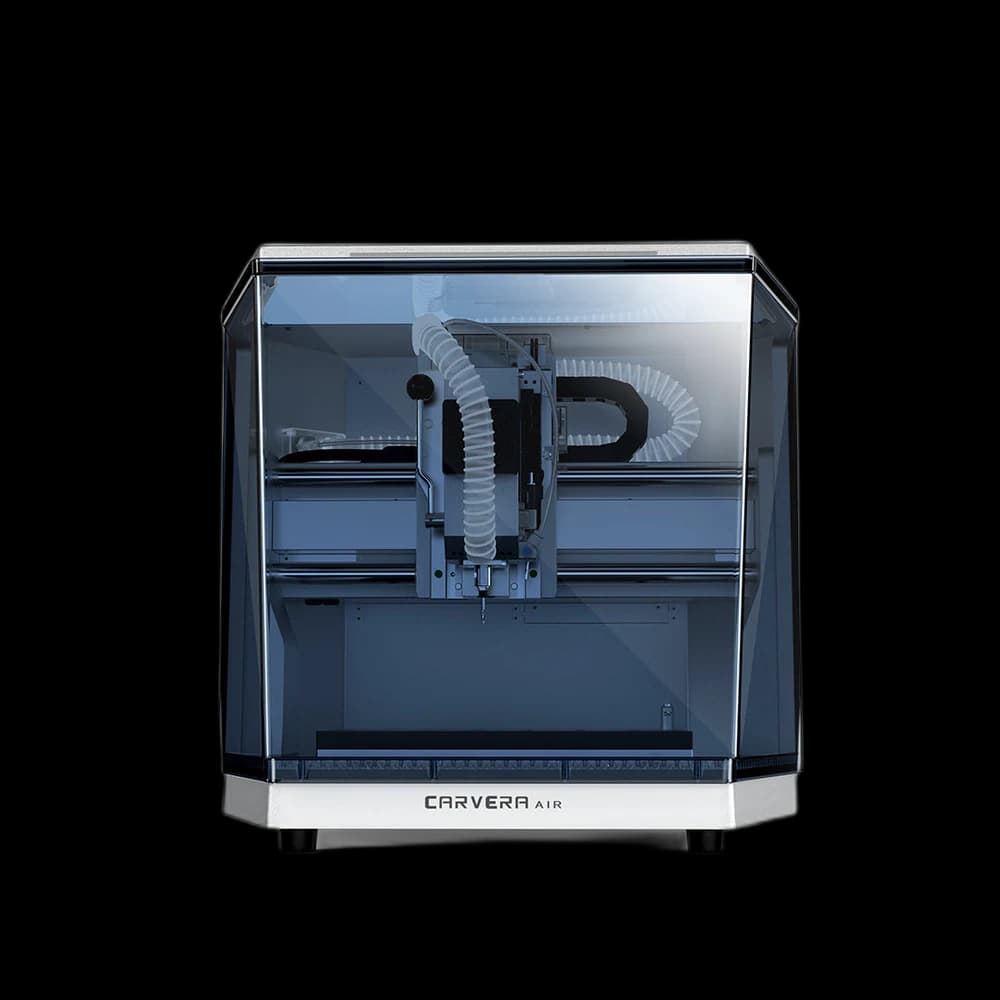
Makera Carvera Air desktop CNC machine
Official product view matched to this review.
Official listing checkedJune 8, 2026
Current Makera price$2,699
Spindle200W
Work area300 x 200 x 130mm

Carvera Air Quick Verdict

As of June 8, 2026, Makera lists the Carvera Air at $2,699 with a 200W spindle, 0 - 13000 RPM closed-loop speed range, 300 x 200 x 130mm work area, quick manual tool change, and optional 4th axis. It is the balanced enclosed desktop CNC pick when you want more capability than an entry learner machine without paying for full Carvera automation.

First decision

Who the Carvera Air is really for

The Air makes the most sense for the maker who already understands that CNC is not just another plug-in appliance. You are buying workholding, dust handling, bits, material tests, CAM learning, and patience. The payoff is that a compact machine can start making real parts for signs, jigs, game builds, small fixtures, brass plates, aluminum tests, and laser-adjacent projects.

Choose the Air if

You want a serious enclosed CNC without jumping to full Carvera money.

The Air keeps the 200W spindle, enclosure, larger-than-Nomad work area, and optional 4th-axis path while trimming the premium automation that drives the full Carvera price higher.

Pause if

You expect a push-button production machine with built-in dust handling.

The quick tool change is still manual, and the Air expects an external vacuum or dust collector. Those are reasonable tradeoffs, but they matter in a small shop.

Compare first if

You are choosing between the Z1, Carvera Air, full Carvera, and Nomad 3.

The Air is the middle lane: more capable than a learner CNC, less automated than the flagship, and more open-ended than the Nomad for rotary and mixed-material work.

Why this page needed a reset

The Air is not a laser page and it is not just a cheaper Carvera

I came to CNC from years of laser engraving, including tools like the xTool P2. That background makes the Carvera Air interesting because it feels like a workshop expansion rather than a full shop rebuild. But the older version of this review made the machine sound too simple. Desktop CNC is more capable than a laser in some ways and less forgiving in others.

The important question is not whether the Air is the best CNC for everyone. It is whether the Air gives a hybrid-workshop maker enough enclosure, spindle confidence, work area, and upgrade path to justify stepping past an entry machine.

Source-checked update

The page now uses the current Makera listing checked on June 8, 2026, including $2,699 pricing and 0 - 13000 RPM spindle speed. Makera promos and bundles can still change, so always verify the live checkout before ordering.

Check Makera source

Comparison map

Where the Carvera Air sits in the desktop CNC lineup

This is the cleanest way I would frame the decision before getting lost in spec sheets. The Air sits between low-cost CNC curiosity and flagship desktop automation.

MachineLaneBest fitTradeoff
Makera Z1Entry CNC learning pathLower-cost CNC curiosity, lighter cuts, first CAM habits.Less spindle and enclosure confidence than the Air.
Full CarveraAutomation-first desktop CNCUsers who value automatic tool changing and a more complete premium package.Much higher spend for convenience and polish.
Nomad 3Established compact CNCProven community, compact reliability, and Carbide 3D ecosystem comfort.Smaller Z height and no optional 4th-axis lane like the Air.

Spec proof

Carvera Air specs that actually affect the decision

Specs only matter when they change what you can cut, how messy the job gets, or how much setup friction you should expect. These are the Carvera Air facts I would use while comparing it against the Z1, full Carvera, Nomad 3, and other enclosed desktop CNCs.

Price checked$2,699

Makera listing checked June 8, 2026. Confirm live bundle and checkout pricing before buying.

Work area300 x 200 x 130mm

Makera lists this as 11.8in x 7.9in x 5.1in for 3-axis work.

Spindle200W

The same headline spindle power range that makes the Air feel like more than an entry learner CNC.

Speed range0 - 13000 RPM

Closed-loop spindle speed range from the current Makera product page.

Tool changesQuick manual

Faster than a basic manual swap, but not the automatic tool changer on the full Carvera.

4th axisOptional

Makera lists a 92mm diameter x 200mm length rotary work area when equipped.

Dust collectionExternal vacuum

The Air has a dust shoe and vacuum port, but the collector is part of your setup plan.

Best material laneWood, plastics, soft metals

The Air can stretch farther with careful feeds, but it is not a steel-production mill.

Daily workflow

The hidden friction is where the Air has to earn its price

For a maker coming from lasers, the Carvera Air is attractive because it promises a tidy desktop CNC lane. The enclosure helps, but CNC still asks more from you than a laser job: cutter selection, tool length, stock thickness, tabs, workholding, dust, chip load, and material-specific patience.

Enclosure matters

Desktop CNC is still chips, sound, and setup friction. The enclosed Air is easier to imagine beside a laser or 3D printer than an open-frame machine.

Tool changes are the honest trade

The quick changer keeps multi-tool jobs practical, but you are still involved. If you want the machine to manage tools for you, compare the full Carvera.

The spindle is the reason to look twice

A 200W spindle with closed-loop speed control gives the Air more confidence than many starter CNC options when projects move from engraving to actual machining.

The work envelope is useful, not huge

11.8 x 7.9 x 5.1 inches is enough for jigs, signs, aluminum plates, enclosure parts, and many hybrid-workshop jobs. It is not a cabinet-scale CNC.

Material confidence

What I would cut on the Carvera Air first

The Air is most convincing when you treat it like a precise enclosed desktop CNC, not a magic metal mill. Start with forgiving materials, learn workholding, then move into softer metals with conservative feeds and clean chip evacuation.

WoodStrong fit

Great lane for signs, templates, inlays, small furniture parts, and test cuts while you learn feeds and speeds.

PlasticsStrong fit

Useful for acrylic, delrin-style utility parts, templates, brackets, and clean engraved shop fixtures.

AluminumGood with care

Use conservative depth of cut, the right end mills, chip evacuation, and realistic expectations for desktop CNC stiffness.

BrassGood with care

A reasonable soft-metal target when workholding, cutter choice, and cleanup are dialed in.

SteelLimited

Treat steel claims as an edge case for slow, careful work. This is not the machine to buy for regular steel production.

Verdict

My Carvera Air take after the 2026 fact check

The Carvera Air is the CNC I would shortlist when a maker wants a serious enclosed desktop machine but does not want to pay flagship-Carvera money for automatic tool changing. Its biggest strengths are the enclosure, 200W spindle, useful work envelope, quick manual tool changes, and optional rotary path.

The drawbacks are not dealbreakers, but they are real. You still need to manage dust collection, bits, feeds and speeds, workholding, and the occasional reality check about what a compact machine can do in metal. That is why I see it as a strong hybrid-workshop machine, not a universal CNC answer.

Best next step

Compare the live Makera bundle against your dust collection, tooling, and project budget before you treat the machine price as the full cost.

Check Current Carvera Air Listing

Questions

Carvera Air FAQ

What is the Carvera Air CNC machine?

The Carvera Air is Makera's enclosed prosumer desktop CNC. The current Makera listing shows a 200W spindle, 300 x 200 x 130mm work area, quick manual tool change, optional 4th axis, and external dust collection path.

What changed in this 2026 Carvera Air update?

This update replaces old launch-era pricing and RPM data with the current Makera listing checked on June 8, 2026: $2,699 and 0 - 13000 RPM closed-loop speed. It also separates the Air from the Z1, full Carvera, and Nomad 3 decision paths.

Is the Carvera Air better than the Makera Z1?

The Air is the better fit if you want enclosure, more spindle confidence, a larger work area, and a stronger bridge into real CNC projects. The Z1 is the lower-cost learner path if you want to test CNC without committing to the Air price.

Is the Carvera Air better than the full Carvera?

Not better, just different. The Air is the value-minded middle lane. The full Carvera is still the more automated machine because of its automatic tool changer and more complete premium workflow.

What should I budget for besides the machine?

Plan for measuring tools, end mills, workholding, sacrificial stock, dust collection, hearing and breathing protection, and cleanup gear. The machine is only part of a functional CNC workflow.

Amazon Support Gear

CNC Setup And Cleanup Gear

A desktop CNC needs careful measuring, chip cleanup, and dust-aware PPE. These Amazon add-ons match that part of the Carvera Air workflow.

As an Amazon Associate, I earn from qualifying purchases at no additional cost to you.

Keep comparing

Affiliate Disclosure

Makera and Amazon links on this page may be affiliate links. I may earn from qualifying purchases at no additional cost to you. The recommendation still comes from the fit, tradeoffs, source-checked specs, and the kind of projects this machine can realistically support.