CO₂ laser comparison · updated October 20, 2026
OMTech Polar 2 RF vs Glowforge Pro
LightBurn control and an air-cooled RF source, or guided cloud software and long-material handling? Start with the way you place, run and repeat a job.
Researched comparison · No side-by-side cutting or engraving test
 Polar 2 RF · 50W
 Glowforge Pro · 45W
Quick answer
Choose OMTech Polar 2 RF if you want LightBurn control, an RF source, included basic rotary, and a larger normal work area. Choose Glowforge Pro only when the guided cloud workflow and long-material passthrough matter more than rotary work, offline control, and open software.
This page is focused on the Polar 2 RF version. OMTech also sells a 70W glass Polar 2 choice; use the Polar 2 buyer guide before treating RF as the only version.
Pricing and availability were checked against manufacturer product pages on September 22 – October 19, 2026. Glowforge now sells the 45W Pro only as a Certified Rebuilt unit, so verify stock at checkout.
Polar 2 RF and Glowforge Pro differ most in software and material handling. Polar lists LightBurn and local connections, a larger normal work area and a basic rotary. Glowforge uses its cloud app and offers a long-material pass-through. Its 45W Pro is now sold as Certified Rebuilt, so check condition, warranty and availability. To compare Polar’s 50W RF and 70W glass versions, read the Polar 2 buyer guide.
Two ways to run a desktop CO₂ laser
Compare the software and the shape of your work.
A larger normal bed, a rotary and a pass-through answer different problems. Choose using the parts you actually want to make.

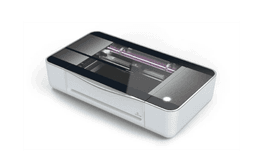
Manufacturer hardware images; the wood and acrylic texture is illustrative. We have not compared completed jobs on these machines.
Polar combines local control and rotary work.
The 50W RF version lists LightBurn and RDWorks, a 28 × 14 inch work area and a basic rotary. Its source is air cooled; filtration is separate. Source-life figures are conditional manufacturer estimates.
- Source
- 50W RF
- Work area
- 710 × 360 mm
Glowforge combines a cloud app and long-stock handling.
The 45W Pro uses Glowforge Print and needs internet to start a job. Its Pro Passthrough accepts long thin material, but it has no supported rotary workflow. Check the condition and warranty of the Certified Rebuilt unit.
- Source
- 45W CO₂
- Cutting area
- 11 × 19.5 in
Try your design and confirm the package.
We would try the software with a typical design, then compare rotary needs, extraction and the total installed cost. Polar’s FAQ and manual disagree about pass-through doors, so we would not plan long-stock work around an unconfirmed opening.
OMTech Polar 2 RF vs Glowforge Pro specifications
Compare the work area, software, rotary support and full package below. We have not run a side-by-side cutting or engraving test.
Affiliate Disclosure
Some OMTech and xTool links on this page are affiliate links, which means we may earn from qualifying purchases at no additional cost to you. Glowforge links are included as official source or product links here, not as a current paid affiliate recommendation. The recommendations use manufacturer information and the limitations noted in this guide.
Comparison prices use U.S. listings. Check your selected store for local pricing and availability.
Preparing P2S store links.
Normal working area
Normal work area for flat blanks
Glowforge Pro lists an 11 × 19.5 inch cutting area. Polar’s FAQ and manual disagree on openings; usable pass-through remains unconfirmed.
Object clearance
Material height and tray clearance
Glowforge lists 2 inches with its tray removed or 0.5 inch with the tray. Confirm the configuration for your object.
Published motion figure
Published X-axis motion speed
Glowforge publishes no equivalent maximum. We have not timed matching finished jobs on these machines.
The 45W Glowforge Pro listing is Certified Rebuilt: confirm stock, condition and warranty. Polar’s filtration is separate, and RF life figures are conditional manufacturer estimates.
Full two-machine specifications, package cards and comparison rows
Comparison pick
OMTech Polar 2 RF
- Laser Power
- 50W
- Working Area
- 28 × 14 in (710 × 360 mm)
- Engraving Speed
- 2,000 mm/s engrave (X); 500 mm/s Y per manual
- Tube / Cooling
- RF metal CO2 tube, air-cooled
- Camera System
- 16MP, ±1 mm positioning, full-bed view
- Software
- OMTech's current package lists "LightBurn Software" as an included item; RDWorks V8 compatible
- Pass-through
- FAQ says no openings; manual safety text mentions pass-through doors. Usable pass-through is not confirmed
- Price
- $4,999.99 for the 50W RF Package, checked October 19, 2026
Comparison pick
Glowforge Pro
- Laser Power
- 45W
- Working Area
- 11 × 19.5 in cutting area; 20 in wide material
- Engraving Speed
- Not documented by manufacturer
- Tube / Cooling
- Custom CO2 glass tube, continuous operation at 10,600 nm
- Camera System
- Dual cameras: lid wide-angle (±6 mm) + head macro (±0.1 mm); HD live view reserved for Pro HD
- Software
- Web-based Glowforge app; internet needed to start every print (a print in progress finishes if the connection drops)
- Pass-through
- Yes — Pro Passthrough: 1/4 in thick, 20 in wide, unlimited length
- Price
- $2,999 Certified Rebuilt, checked September 22, 2026
The rebuilt Glowforge Pro can look cheaper than the Polar 2 RF on the visible product price, but the buying decision is not just price. Compare local control, rotary work, cooling, pass-through needs and the current package before choosing.
Software, placement and rotary work
Source and cooling
Source rating and cooling
P2S lists 55W CO₂ and Glowforge Pro 45W. Compare work area and handling against your projects.
P2S software update
P2S firmware and LightBurn support
xTool’s October 10 notice requires current firmware; LightBurn’s older June 29 warning remains. We have not tested the new connection. Check current instructions.
Rotary fit
Rotary fit for cylindrical objects
Polar includes a basic rotary. P2S uses separate accessories; Glowforge has no supported rotary workflow.
Full source, connectivity and accessory explanation
Power & Speed
The OMTech Polar 2 RF uses a 50W RF source, while xTool P2S is 55W and Glowforge Pro is 45W. The more useful comparison is source life, work area, software control, and pass-through fit rather than wattage alone.
Impact: For makers working with wood and acrylic, compare Polar 2 RF for its air-cooled source, P2S for its placement tools and Glowforge for its guided cloud software.
Connectivity & Operation
Glowforge requires an active internet connection to start every print. OMTech Polar 2 lists LightBurn/RDWorks compatibility and local connection paths. xTool's October 10, 2026 notice now lists P2S network operation with LightBurn 2.2.00 or later on current firmware; LightBurn marks the new support as Labs. Its older June 29 firmware warning remains published. We have not tested that new connection. See the current LightBurn compatibility guide before changing firmware.
Impact: For workshops with unreliable internet or users who value operational independence, Glowforge's cloud-only approach can be a significant limitation.
Accessories & Features
The OMTech Polar 2 RF includes a basic rotary axis in the box. Glowforge Pro offers no rotary capability, while the xTool P2S offers rotary through separate xTool accessories.
Impact: Glowforge has no supported rotary workflow for engraving around cylindrical objects. Confirm that the Polar rotary fits the drinkware you intend to use.
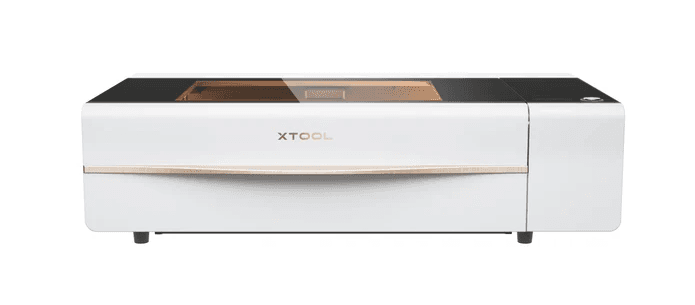
When to compare xTool P2S
Also compare the xTool P2S if camera placement matters to your projects. Price its rotary, riser, conveyor and extraction alongside the machine.
Another desktop choice
P2S camera placement and software
Use your own artwork and blanks to evaluate placement. The new LightBurn 2.2 network path is marked Labs and is untested by us.
Complete package
P2S accessories and extraction costs
- Rotary and riser for suitable objects.
- Conveyor for the intended long-stock workflow.
- Extraction and filtration.
Compare the dated package details below before ordering.
Three-machine package specifications and dated value comparison
Comparison pick
OMTech Polar 2 RF
- Laser Power
- 50W
- Working Area
- 28 × 14 in (710 × 360 mm)
- Engraving Speed
- 2,000 mm/s engrave (X); 500 mm/s Y per manual
- Tube / Cooling
- RF metal CO2 tube, air-cooled
- Camera System
- 16MP, ±1 mm positioning, full-bed view
- Software
- OMTech's current package lists "LightBurn Software" as an included item; RDWorks V8 compatible
- Pass-through
- FAQ says no openings; manual safety text mentions pass-through doors. Usable pass-through is not confirmed
- Price
- $4,999.99 for the 50W RF Package, checked October 19, 2026
Comparison pick
xTool P2S
- Laser Power
- 55W
- Working Area
- 23.6 × 12 in (600 × 305 mm)
- Engraving Speed
- 600 mm/s; 6,400 mm/s² X accel
- Tube / Cooling
- 55W glass CO2 tube, liquid-cooled (built-in tank and pump; user-filled antifreeze)
- Camera System
- Dual 16MP (close-range + panoramic), 0.3 mm positioning
- Software
- xTool Studio (free); Windows / macOS
- Pass-through
- None on the base machine; 118 in (3 m) lengths need the separate Automatic Conveyor Feeder plus rail kits (the Riser Base is required); max 14 mm thick
- Price
- $2,999 Standalone (pre-order), checked October 11, 2026
Comparison pick
Glowforge Pro
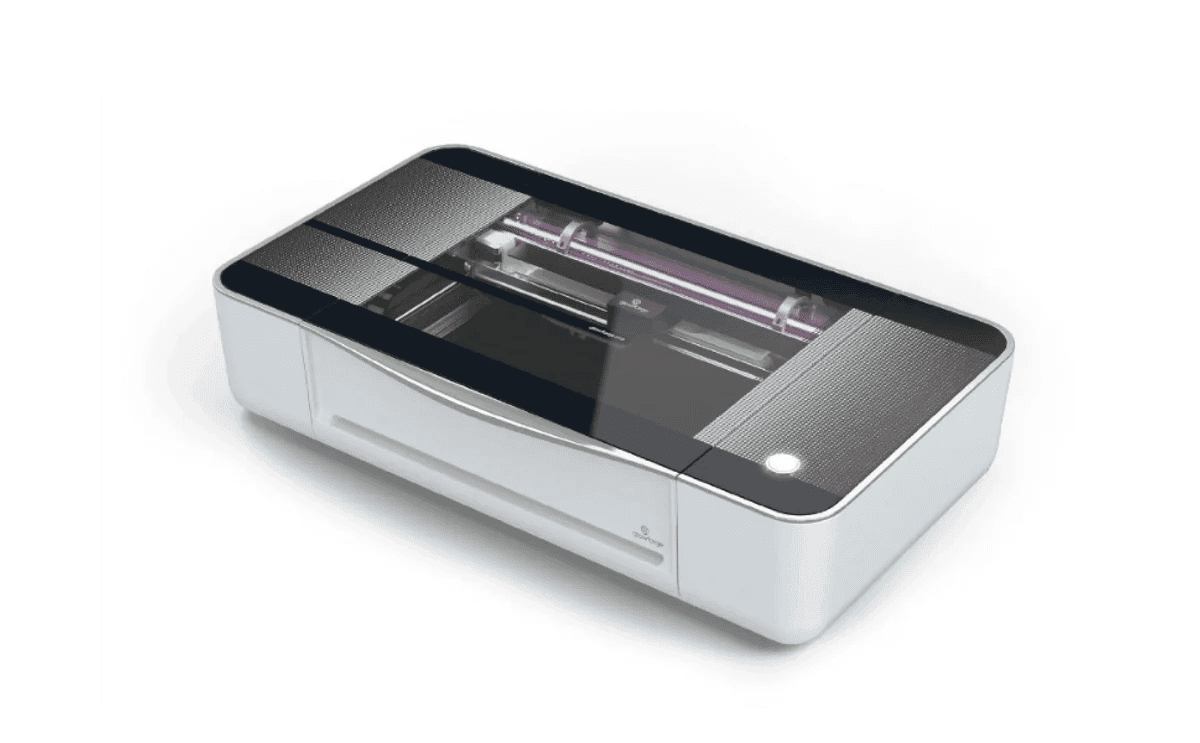
- Laser Power
- 45W
- Working Area
- 11 × 19.5 in cutting area; 20 in wide material
- Engraving Speed
- Not documented by manufacturer
- Tube / Cooling
- Custom CO2 glass tube, continuous operation at 10,600 nm
- Camera System
- Dual cameras: lid wide-angle (±6 mm) + head macro (±0.1 mm); HD live view reserved for Pro HD
- Software
- Web-based Glowforge app; internet needed to start every print (a print in progress finishes if the connection drops)
- Pass-through
- Yes — Pro Passthrough: 1/4 in thick, 20 in wide, unlimited length
- Price
- $2,999 Certified Rebuilt, checked September 22, 2026
Value Comparison
P2S adds another camera-placement and software option to the shortlist. Compare the complete package rather than the machine price alone.
OMTech Polar 2 RF: $4,999.99 for the 50W RF Package, checked October 19, 2026
Air-cooled RF source and LightBurn with a 28 x 14 inch work area and included basic rotary; filtration is separate.
xTool P2S: $2,999 Standalone (pre-order), checked October 11, 2026
Desktop camera-placement tools, but rotary, riser, conveyor, and full filtration planning affect the final setup.
Glowforge Pro rebuilt: $2,999 Certified Rebuilt, checked September 22, 2026
Guided cloud workflow and pass-through advantage, but no rotary, no offline operation, and rebuilt availability needs a live check.
From OMTech: Polar-family video context
Watch the older Polar-family video and read its workflow context
This older OMTech Polar-family video is useful workflow context only. Use the source-checked specs above for the current Polar 2 RF claims.
Key Features Highlighted
- Current Polar 2 RF uses a 50W RF CO₂ source
- Current Polar 2 RF lists a 28 × 14 in work area
- Included rotary attachments for cylindrical engraving
- Touchscreen control panel for offline operation
Who Is It For?
Reasons to compare Polar 2 RF:
- Makers who want the listed LightBurn license and basic rotary in one package
- Small businesses needing to engrave cylindrical objects
- Workshops with unreliable internet connections
- Users whose blanks fit its larger normal work area
Allow for accessories, setup time and consumables.
For business use, compare the cost and time of a finished job, including blanks, setup, extraction and handling.
Installed cost
Polar RF package and separate filtration
LightBurn and a basic rotary are listed; filtration is separate. RF life estimates do not establish a payback period.
Rotary jobs
Blank, jigging and handling costs
- Blanks and jigging time.
- Extraction and handling.
- Repeatability on your drinkware.
Internet dependence
Internet access and local control
Glowforge needs its cloud connection. Polar lists local LightBurn/RDWorks paths. P2S’s new LightBurn connection is marked Labs.
Time per item
Complete job time and labor
Include the blank, placement, extraction and finishing time. Manufacturer motion figures do not establish production output or profit.
Full business-cost, rotary, software and motion-speed explanation
Business Value Analysis
Compare Polar 2 RF’s $4,999.99 listed price, checked September 22 – October 19, 2026, with the full Glowforge setup. Polar’s package lists LightBurn and a basic rotary, while filtration is separate. Its RF service-life estimates are conditional manufacturer figures, so they do not establish a payback period.
Rotary work and drinkware
Polar 2 RF includes a basic rotary for cylindrical engraving, which Glowforge Pro does not support natively. Price the blanks, jigging time, extraction and repeatability before assuming the work will be profitable.
Internet and software requirements
Glowforge's cloud dependency is the operational risk. OMTech Polar 2 RF lists LightBurn/RDWorks and local connection paths; P2S now has a LightBurn 2.2 network path marked Labs alongside xTool Studio. Check the current software and firmware instructions; we have not tested the new xTool connection.
Published motion speeds
OMTech lists a 2,000 mm/s X-axis engrave claim for Polar 2 RF, while xTool lists 600 mm/s for P2S and Glowforge does not publish an equivalent maximum speed spec. These are manufacturer motion figures, not timed results for the same completed job.
Business ideas for suitable CO₂ laser work
Business Ideas with CO₂ Laser Cutters
Custom Products
Create personalized items like name signs, custom gift boxes, wedding decorations, promotional items, and branded merchandise
Home Décor
Offer laser-cut wall art, decorative accents, personalized picture frames, custom lamps, and unique holiday decorations
Service-Based Business
Provide cutting and engraving services to local businesses, create custom signage, or offer on-demand personalization at events
Frequently Asked Questions
Common questions about OMTech Polar 2 RF and Glowforge Pro CO₂ laser cutters
Polar 2 RF lists LightBurn, a 28 x 14 inch work area, an included basic rotary and an air-cooled RF source. Glowforge Pro uses its cloud app and offers long-material pass-through. The 45W Pro is no longer the new flagship; its Certified Rebuilt listing has availability contradictions.
Glowforge Pro lists a pass-through for long thin material. Polar 2’s product FAQ says it has no openings, while its combined manual mentions pass-through doors. We cannot confirm a usable Polar opening from that conflict, so do not plan long-stock work around it.
Glowforge requires an active internet connection to start prints through Glowforge Print. OMTech Polar 2 lists LightBurn/RDWorks compatibility and USB, U-disk, Ethernet, and Wi-Fi connection paths, so it is the better fit for buyers who want open software control.
Glowforge provides a guided cloud workflow; Polar 2 offers LightBurn control. We would try the software with a typical design before choosing for a beginner or shared workshop. Both need appropriate installation and operating procedures; this is not a timed beginner-setup comparison.
OMTech Polar 2 RF lists free LightBurn and a basic rotary axis in the box, but the fume extractor/filtration path is separate. Glowforge Pro has no rotary path and its Performance Filter is a separate purchase.
OMTech Polar 2 includes a basic rotary axis. Glowforge Pro does not offer a rotary workflow, so tumblers and cylindrical objects are not a good reason to choose Glowforge.
Not sure which laser cutter is right for you?
Check out our comprehensive comparison of all top CO₂ laser cutters to find the perfect match for your needs and budget.



Which one would we shortlist?
LightBurn and rotary
Polar 2 RF: LightBurn and rotary work
Compare its source, included basic rotary and larger normal bed against your blanks.
Guided cloud workflow
Glowforge: guided cloud software
Availability and warranty need a live check. There is no supported rotary workflow.
Business and production
P2S and P3 for a wider comparison
Compare the complete workflow and the room needed for your work.
Read the full shortlist reasoning
For LightBurn-first makers: OMTech Polar 2 RF is the stronger fit when RF source life, included LightBurn, included basic rotary, and the 28 x 14 inch work area matter more than Glowforge's guided cloud workflow.
For beginners seeking simplicity: Glowforge still has the more guided cloud experience, but the rebuilt Pro availability conflict and no-rotary limitation should be part of the decision.
For businesses and production: Do not pick from this two-machine page alone. Compare Polar 2 RF against xTool P2S and P3 before committing to a production workflow.
OMTech Pro Quantum — a larger RF CO₂ cabinet
Need a larger RF machine? The three US Pro Quantum packages checked October 20, 2026 all list a 60W source, LightBurn and a rotary. Its 39.4 × 23.6 inch bed is larger than Polar's. Read the guide for package differences and the manual's camera-calibration limits; we have not tested its production speed.