01
Print-zone control
Source-checked buyer guide · Facts checked July 31, 2026
Checked July 31, 2026, xTool lists Apparel Printer Plus from $5,399 in the US. It keeps the original DTF workflow while adding printhead-area humidity control, a HydraFlow white-ink damper, wet capping after 24 hours, and local-network mobile controls. Original owners should check upgrade-kit eligibility before replacing their printer. These are xTool-documented features and claims, not independent results.
This is an official-source buyer guide, not a hands-on review. As an xTool affiliate, The Crafty Catsman may earn a commission from qualifying purchases without changing your price.
Quick answer
Whether you own the original Apparel Printer and want to know what changed, or you're shopping for your first one, let's get into the details.
Buying a new xTool DTF system
Already own the original printer
Need to see the workflow first
Planning only occasional runs
The Plus changes
The finished shirt gets the attention. Humidity, white-ink flow, and what happens while the printer sits are what decide whether the next job starts cleanly.
What Plus is trying to fix
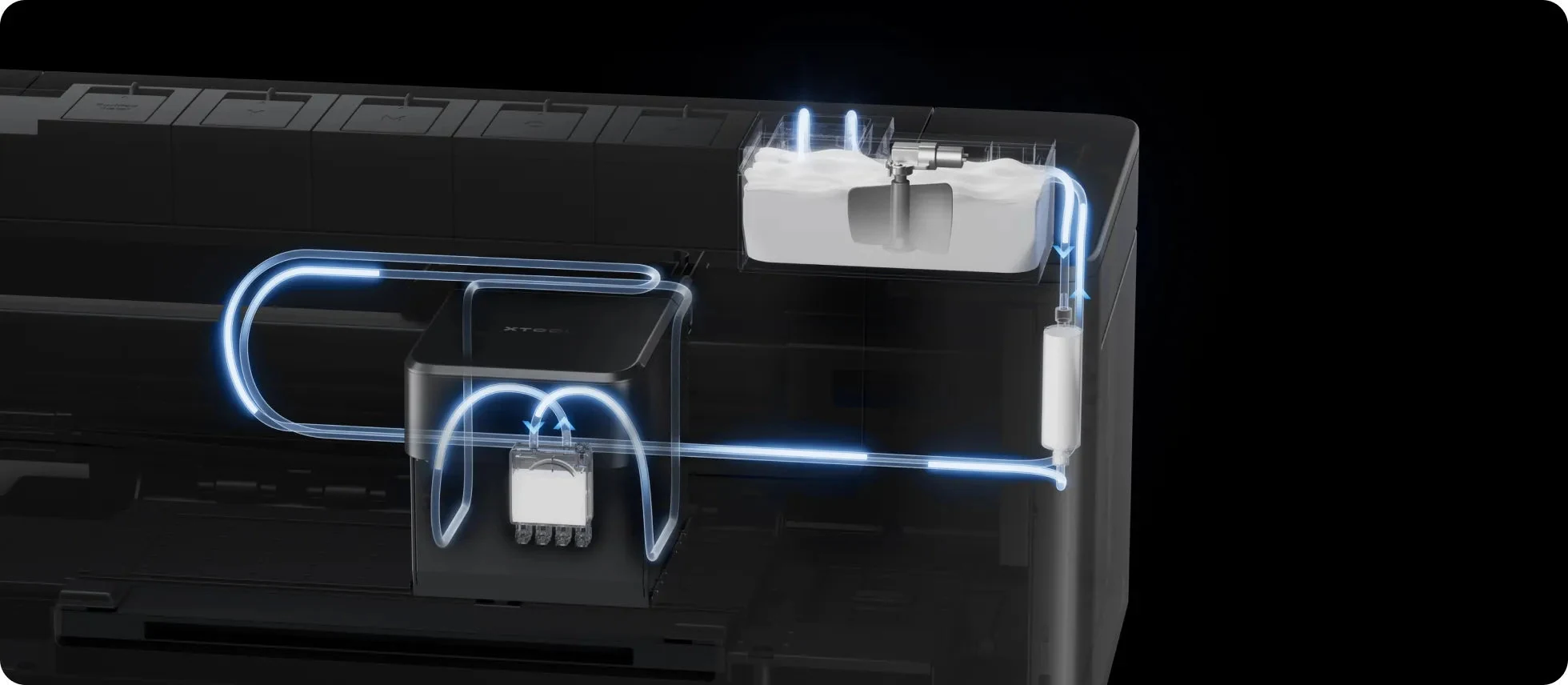
The print itself can be the easy part when everything is flowing. Dry air, settling white ink, and a printer that sits for a few days are what turn the next job into nozzle checks and cleaning. Those are the three problems xTool says it targeted with Plus.
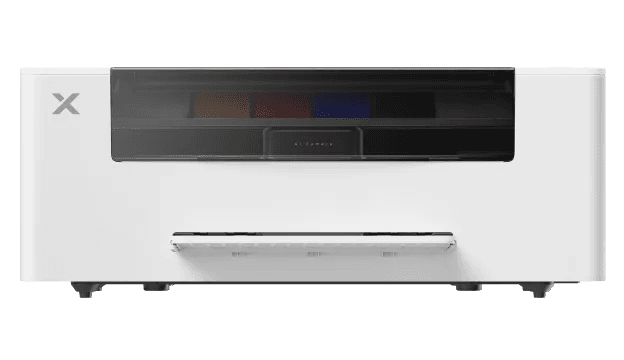
Official xTool product image. Performance claims still need independent testing.What that means for a buyer
xTool built Plus to automate more maintenance. It does not erase it.The humidifier, HydraFlow damper, and wet capping system all aim to reduce intervention. I still want to see nozzle checks, cleanup, and restart waste before calling the problem solved.Print-zone control
White-ink path
Idle care and visibility
Original vs Plus
Every row below is tied to an xTool product, support, software, or storefront source. Missing Plus documentation stays missing instead of being filled with an older manual.
| Decision point | Original Apparel Printer | Apparel Printer Plus |
|---|---|---|
| Current US buyer path | confirmed The former product URL now redirects to Apparel Printer Plus. | confirmed Live xTool US product record; verify current availability, package contents, shipping, and checkout total before ordering. |
| Current starting price | not established No separate current original-model price is established; xTool routes the old product page to Plus. | dated storefront fact $5,399 starting price in the US storefront record, checked July 31, 2026. Confirm the selected package and final checkout total on xTool. |
| Core DTF workflow | confirmed One-click printing, cutting, powdering, shaking, and curing. | confirmed The same one-click printing, cutting, powdering, shaking, and curing sequence. |
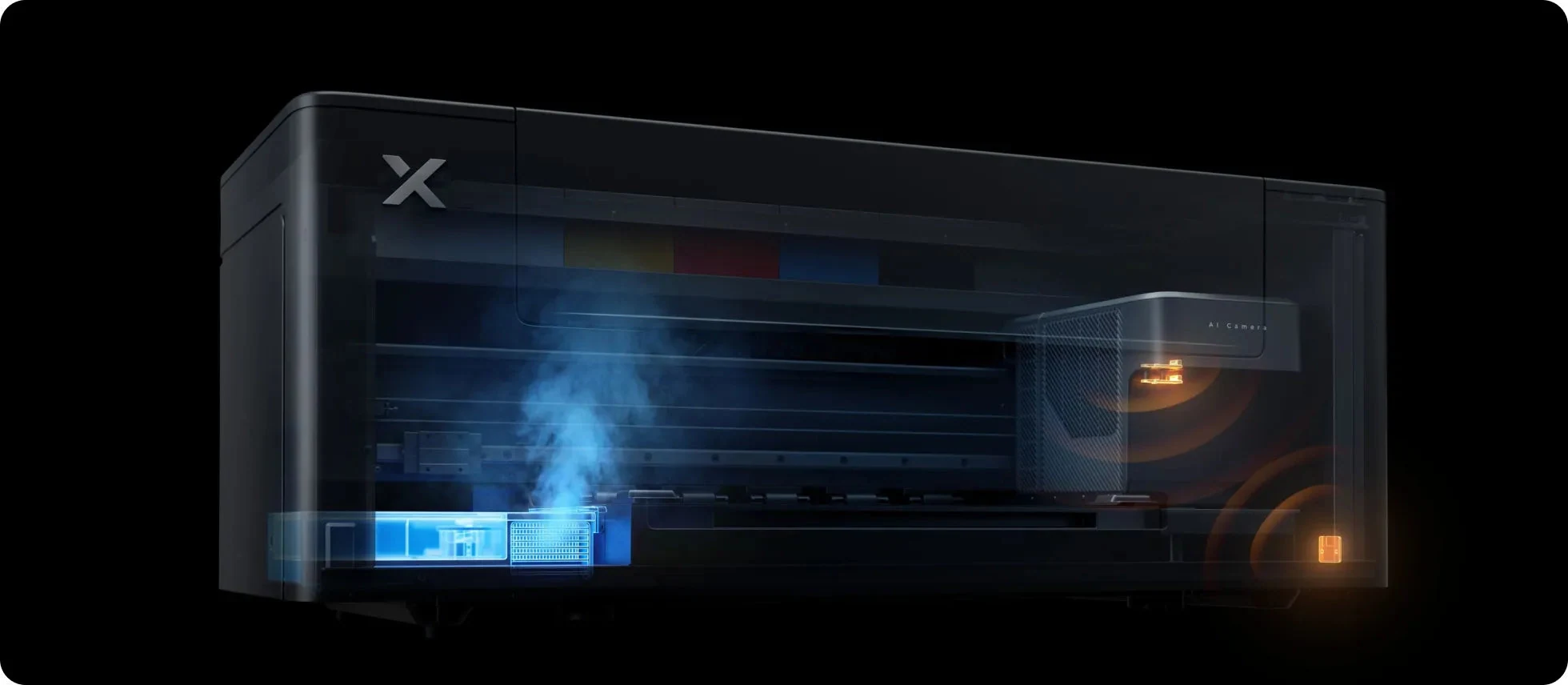
| Print-zone humidity control | confirmed No built-in Plus-style system in the original configuration; eligible owners can redeem an Internal Humidity Module upgrade. | confirmed Built-in humidifier targets 45-65% around the printheads, with a second local temperature-and-humidity sensor. |
| White-ink path | confirmed Earlier four-channel damper arrangement; eligible owners can redeem the White Ink Damper Upgrade Kit. | manufacturer design claim HydraFlow single-damper design replaces four narrow channels to reduce settling points and circulate more white ink. |
| Idle printhead care | confirmed Not part of the original configuration; xTool says the owner upgrade path can add similar wet-capping support. | manufacturer design claim Automatic Wet Capping seals and moistens the printheads after 24 hours of inactivity. |
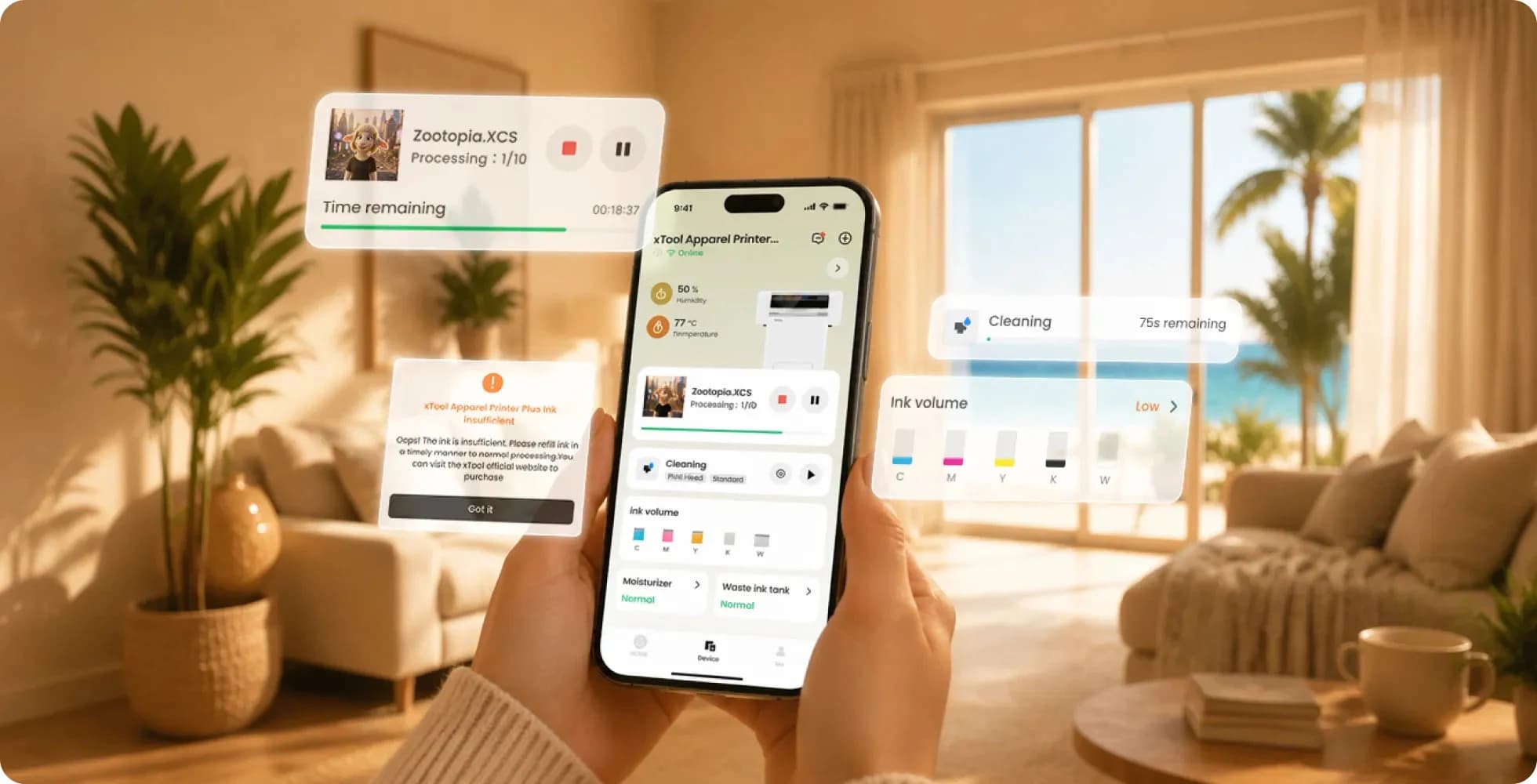
| Mobile management | not established Current Plus-level mobile send, status, and alert support is not established for the original model from a current original-model source. | confirmed xTool Studio App can show status and alerts and send jobs when the phone and printer are on the same local network. |
| Existing-owner path | eligibility dependent Eligible xTool purchasers can redeem a free Internal Humidity Module and White Ink Damper Upgrade Kit; shipping fees may apply. | confirmed The humidity, damper, and wet-capping changes are integrated into the Plus configuration. |
| Dimensions and machine specs | confirmed The July 15 Apparel Printer manual publishes the original/family machine specifications. | not yet plus confirmed xTool has not repeated the full machine table in a Plus-named text manual; family values are shown separately, not silently inherited. |
| Software support | confirmed Supported by xTool Studio; the family support center documents device status and operating data. | confirmed Explicitly added as a supported device in xTool Studio Desktop V1.8. |
What ownership still asks
These are xTool product and Apparel Printer family planning facts, not our measured Plus operating costs. The labels below keep that distinction visible.
What the July 15 manual actually confirms
xTool's current support manual is titled xTool Apparel Printer, not Apparel Printer Plus. These figures are useful for planning around the family, but they are not labeled here as Plus-specific until xTool repeats them in Plus-named documentation.
What still needs testing
A manufacturer claim can be worth recording without being mistaken for an independent result. These are the checks I would run before assigning a verdict.
Up to 50 sq ft/hr with dual Epson I1600 printheads and a 14-inch print width.
50+ heavy washes and up to 300% stretch without cracking or peeling.
Up to twice the continuous printing time in xTool's 30 C / 30% RH internal test.
Automatic wet capping is designed to protect the printhead during extended idle periods.
Questions buyers are asking
Start with the decision in front of you. Deeper process, cost, and room-planning work stays in the guide or tool that owns it.
The core one-click DTF workflow stays the same. Plus adds a built-in smart humidifier with a second print-zone sensor, a single HydraFlow white-ink damper, Automatic Wet Capping after 24 hours of inactivity, and Plus-specific mobile app controls documented by xTool.
xTool lists Apparel Printer Plus from $5,399 in the US, checked July 31, 2026. The storefront names Standalone, Versatile Bundle, and All-in-1 Bundle lanes, but inclusions, shipping, and final totals can change; compare the exact live package instead of choosing by bundle name alone.
Plus is xTool's current US path for a new Apparel Printer purchase, but that does not make it the right fit for every shop. Compare your real order volume, maintenance tolerance, room, exhaust, and complete workflow cost; xTool also offers a free one-hour first-party demo before you order.
Not automatically. xTool says eligible original owners can redeem a free upgrade kit with an Internal Humidity Module and White Ink Damper Upgrade Kit, with shipping fees potentially applying. Owners should check the purchase email tied to their xTool order or ask xTool Support to verify eligibility.
Occasional use is the harder business case because the printer still expects powered maintenance while it sits. Model your own order volume, idle ink, labor, waste, and outsourcing cost rather than relying on a universal break-even claim; use the DTF calculator's custom inputs, not a preset, for that comparison.
No. xTool automates more of the lifecycle, including wet capping after 24 hours, but the printer still needs to remain powered for cleaning and white-ink circulation. Follow xTool's current idle procedure before a longer shutdown; wet capping is not permission to ignore the machine indefinitely.
xTool's Apparel Printer family FAQ gives a planning estimate of about 30 ml of white plus 30 ml total CMYK per month when automatic cleaning runs every three days. That is a manufacturer family estimate, not measured Plus consumption, total monthly ink, or a guaranteed cost.
xTool does not recommend third-party ink because of printhead clogging risk. Third-party film can be used only when the OS1 shaker oven is not used and powdering and baking are handled manually; xTool says third-party film is not compatible with the OS1 workflow.
Yes, plan outdoor exhaust for the DTF curing workflow. xTool says not to use IF2 as the Plus exhaust path because glycerin in the exhaust can damage its fan motor over time; size the room and exhaust around the complete printer, powder, cure, and heat-press workflow.
Plus uses xTool Studio and the xTool Studio app. xTool documents Windows, macOS, iOS, and Android support; mobile status, alerts, and job sending require the phone and printer to share a local network. xTool does not support a third-party RIP or external API for this family.
The current family manual lists a 356 x 460 mm maximum processing area, while xTool's Plus storefront claims a 14-inch print width and up to 50 square feet per hour. The manual is not Plus-named, and headline speed is not the same as complete-job throughput with loading, powdering, curing, and intervention.
xTool says Apparel Printer Plus can print for all fabric types and colors, especially cotton and polyester, and publishes 50-plus-wash and stretch claims. Those are manufacturer claims; fabric, ink, film, powder, curing, pressing, and wash care still need controlled independent testing before they become this site's verdict.
xTool lists 12 months for the printer and shaker oven in most regions, 24 months in Europe, and six months for one printhead. Its family FAQ describes one to two years as a typical printhead life with normal use and maintenance, which is a planning reference rather than a guarantee.
No. This page separates xTool's official Plus facts and claims from the measurements that still need independent testing. The Crafty Catsman has not assigned a score or hands-on verdict to Apparel Printer Plus.
Where to go next
Source check · July 31, 2026
Storefront facts can change. Product architecture, support instructions, software notes, and warranty language are linked separately so each statement can be checked against the source that actually supports it.
Plus identity, purchase path, upgrades, app workflow, warranty, consumable restrictions, environmental controls, and manufacturer performance claims.
US availability, official handle, current $5,399 starting price, dual Epson I1600 printheads, 50 sq ft/hr claim, and 14-inch print-width claim.
The former US product route now resolves to Apparel Printer Plus, making Plus the current new-buyer storefront path.
Apparel Printer family dimensions, weight, power, processing area, processing speed, printhead, ink, tank capacity, and plugged-in maintenance requirement. The manual title does not say Plus.
Official ink, film, maintenance, software, connection, queue, operating-range, printhead-life, and accessory guidance for the Apparel Printer family.
xTool Studio 1.8 explicitly adds support for Apparel Printer Plus.
Heat-transfer workflow and outdoor exhaust guidance for the Apparel Printer family.
Temperature, humidity, film-storage, and white-ink operating context.
xTool's free one-hour personalized Apparel Printer demonstration for buyers who want a first-party walkthrough before ordering.